 PH
PH
Almost all of the people around the world who are in urban area are using facebook to communicate to other people. But did you know that messenger has a lot of features including free call? Free call is not a problem for mobile users, but sending a document file or any non graphic file is hard thing to do in messenger, some people were uploading a file into a file hosting website and linking them to the messenger. Well in this topic, you will learn how to upload a file in messenger with less efforts!
RequirementsAt least 3MB of storageTutorial
1. Open Google Play Store
2. Search for ZArchiver
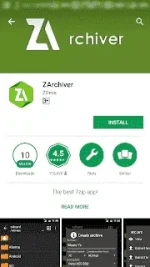
3. Then tap install
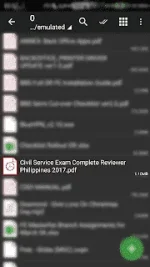
4. Open ZArchiver then choose a file that you want, long press that file.
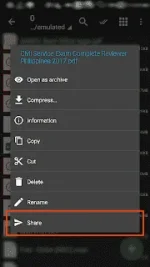
5. File option will pop up, you need to tap share
6. ChooseMessenge
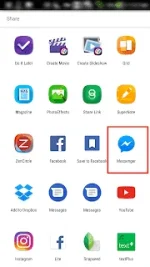
7. Then tap send to whom you want to send the file.

There are a lot of people who already have knowledge about this, but it is good in our heart to share the idea to people who doesn't have this kind of idea.Hope it helps you. Have a great day
Read and analize before you judge credit mnnn
