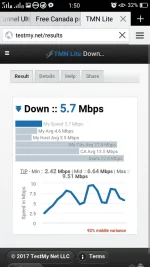
PH
PHKPN TUNNEL
Globe and tm default with promo
Or Globe Switch
Globe and tm default with promo
Or Globe Switch
Download and Install Kpn tunnel
Version 4.7 You do not have permission to view the full content of this post. Log in or register now.
Download my Config
Spoiler contents are visible only to Established Members.
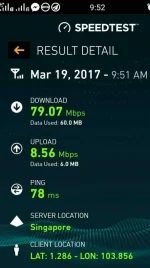
- Singapore Server
- Until March 23 ,2017
- Swerte lang siguro sa area 78ms
- 79mbps data compress @ ookla
Bonus Config You do not have permission to view the full content of this post. Log in or register now.
- Canada Server
- Until March 25, 2017
- Fast connecr
Follow the step by step procedure after you download and install kpn
Step 1: Import File.
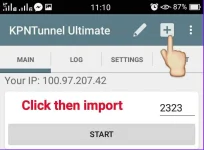
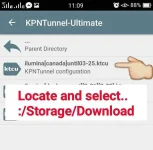
Step 2: Locate and select the file.
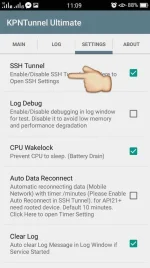
Step.3: Go to Settings Tab
- Check (Ssh Tunnel)
- Check (Cpu wakelock)
- Check (Clear log)
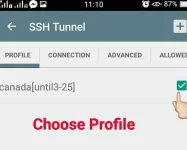
Step 4: In the Profile tab choose your config.
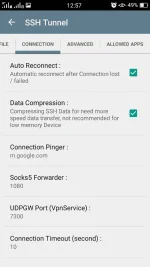
Step 5: Then Go to Connection Tab
- Check (Auto Reconnect)
- Check (Data Compression)
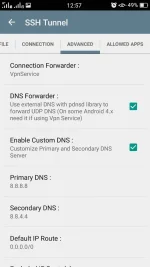
Step 6: Go to Advanced Tab
- Check (DNS Forwarder)
- Check (Custom DNS)
Step 7: Click Arrow Back in the Upper Left
(⬅ SSH Tunnel) then Click Main Tab
Then START!
Say No to Hit and run
Like and feedback lang
(di nyo yan ikamamatay)
Enjoy guys!
Im looking forward to read all you Feedback guys aasahan ko pa yan ha and Follow me if
you Want.
Like and feedback lang
(di nyo yan ikamamatay)
Enjoy guys!
Im looking forward to read all you Feedback guys aasahan ko pa yan ha and Follow me if
you Want.
What you see here ,What you read here,When you Leave, leave it here.