PH
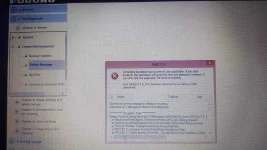
PHThis error appear when try to install software How to Fix HRESULT 0xc8000222 Error Dot NET Framework 4.0 While Problem Installation.
1. Open Command Prompt in Administrator Mode.
2. Type "net stop WuAuServ" (Disable Windows update).
3. Goto to Run ( Window key + R ) and type in "%windir%" ( microsoft windows system folder).
4. Look the folder "SoftwareDistribution" and rename it as "SDold".
5. Then, go back the command prompt and run the command "net start WuAuServ". (This will Enable Windows update)
6. Now, try to install Dot NET Framework again.
Hit like if working po sa inyo.
1. Open Command Prompt in Administrator Mode.
2. Type "net stop WuAuServ" (Disable Windows update).
3. Goto to Run ( Window key + R ) and type in "%windir%" ( microsoft windows system folder).
4. Look the folder "SoftwareDistribution" and rename it as "SDold".
5. Then, go back the command prompt and run the command "net start WuAuServ". (This will Enable Windows update)
6. Now, try to install Dot NET Framework again.
Hit like if working po sa inyo.
 :cat: btw, ano po meaning ng tut?