PH
PHzkrittlez_1337
Forum Veteran
Steps To Dual boot Linux And Windows 7,8 or 10 are :
Step 1. Download the ISO file for any of the Linux distributions. We are using Ubuntu in this tutorial and you can grab the latest version of Ubuntu below.

Step 2. Download Rufus on your Windows PC.

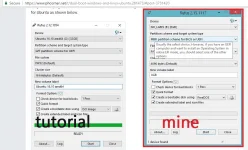
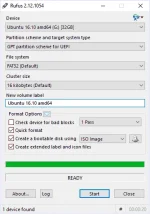
Step 3. Now plug-in a USB flash drive with 8GB or 16GB storage and use the Rufus tool to create a bootable USB drive for Ubuntu as shown below.
Step 4. Once the drive has been optimised, turn off the System and Boot from the USB drive. You may need to adjust some boot setting which can be done by entering into the boot menu of the system. This can be done by , Turn on the machine while repeatedly pressing the machine’s special boot key. The special key varies between different computer manufacturers:
Dell:- Tap F12 when the Dell logo is displayed.
HP:- Tap F12 when the HP logo is displayed.
Lenovo :- Tap F12 when the Lenovo logo is displayed
Apple:- Hold Option (next to the ⌘ key) when the computer first turns on.
Other:- Try tapping Esc, F1-12, Del or Enter during bootup or either do google search for bootable button for your device.
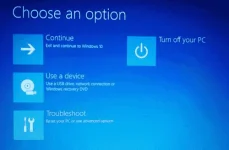
Step 5. Once you are able to boot from USB drive, you will see three options. Here select try Ubuntu and see that the OS starts running, let’s begin installing it along side windows OS by connecting to the internet.
Step 6. Now on your desktop, you will be able to see a shortcut icon “Install Ubuntu”. Click it to start the process.
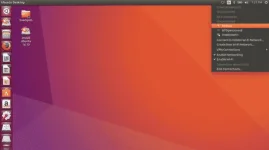
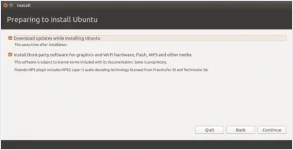
Step 7. Follow the steps for the installation, select the language and choose if you want updates, as well as necessary 3rd party software’s.
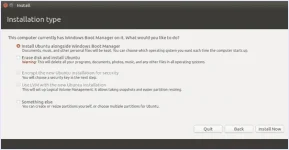
Step 8. In the next step, choose install Linux alongside windows boot manager. Here you can install it in any partition you like. Make sure you don’t have any data there as it will be formatted. To know more about making partitions on windows, read here.
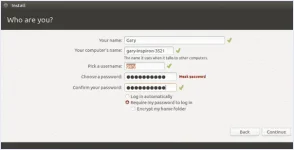
Step 9. Complete the rest of the steps of installation like choosing location as well as entering user details.
And now, you have successfully completed the installation for Linux on your windows running PC. You can choose to boot up any OS according to your need.