 PH
PHInstructions:
1. Download and install Adobe Creative Cloud. Feel free to search it on google.
2. Open Adobe Creative Cloud then go to Apps and Install the application that you'd like to get by
clicking "Try" along the application. See Screenshot.
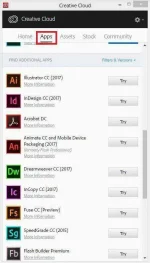
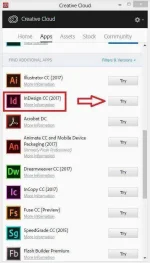
3. Wait until finish downloading. Dot not open the application after downloading.
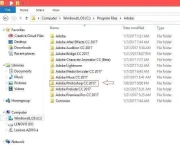
4. Access the directory of the application you have downloaded.
Example: Photoshop.
Access> Drive C > Program Files > Adobe > Adobe Photoshop CC 2017
Note* Program Files and not Program Filex (x86)
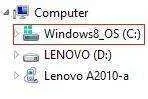

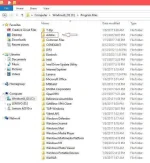
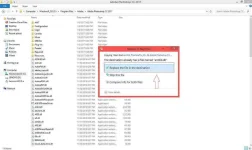
5. Copy the file that I have provided on attached file inside the directory of the application you have
downloaded.
Link: You do not have permission to view the full content of this post. Log in or register now.
6. Choose Replace or Overwrite.
7. And you're good to go to try the application!
Note: I do not claim to be the author of this tutorial. I just want to help other people who are in need of these applications that are exactly useful for the community.
If you experienced errors, then try to read again the tutorial that I've made. It needs a lot of patience when it comes to downloading the creative cloud, as well as the applications you want to get but it's worth it.
These steps apply to all the application that you wanna get or use.
Now that I don't have anything else to say, credits to the original author of this tutorial whoever you are!
Have a nice evening Everyone!
1. Download and install Adobe Creative Cloud. Feel free to search it on google.
2. Open Adobe Creative Cloud then go to Apps and Install the application that you'd like to get by
clicking "Try" along the application. See Screenshot.
3. Wait until finish downloading. Dot not open the application after downloading.
4. Access the directory of the application you have downloaded.
Example: Photoshop.
Access> Drive C
> Program Files > Adobe > Adobe Photoshop CC 2017Note* Program Files and not Program Filex (x86)
5. Copy the file that I have provided on attached file inside the directory of the application you have
downloaded.
Link: You do not have permission to view the full content of this post. Log in or register now.
6. Choose Replace or Overwrite.
7. And you're good to go to try the application!
Note: I do not claim to be the author of this tutorial. I just want to help other people who are in need of these applications that are exactly useful for the community.
If you experienced errors, then try to read again the tutorial that I've made. It needs a lot of patience when it comes to downloading the creative cloud, as well as the applications you want to get but it's worth it.
These steps apply to all the application that you wanna get or use.
Now that I don't have anything else to say, credits to the original author of this tutorial whoever you are!
Have a nice evening Everyone!