 PH
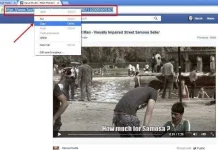
PH- First Go to Facebook Video that you Want to Download.
- You can See the Facebook Video Link in Browser URL, Just Copy that Link.
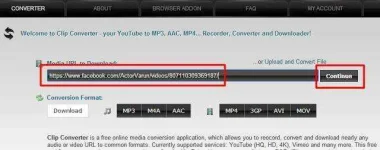
- After Clicking on Continue It can go to next Page Where it can Show the Video Quality according to Pixels.
- Choose your Video Quality & Size and Hit “Start” Button and Wait Until Conversion of Video Finish.
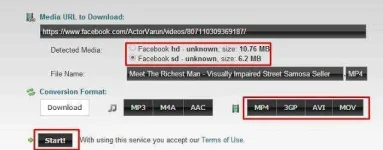
- Now you see the Last Step. Click on “Download” and Your Video is starting Downloading.
This is a Best Way to Download Videos from Facebook. There are many Sites to Download Youtube and Facebook Videos But now Offer to download in Real Format. But According to my Experience Clip Converter is the Best Site Where you download Youtube and Facebook Videos in HD Format. You can also Download 2K & 4K Videos from Youtube If Available.

