always look at the bottom left corner of your browser, kasi english naman yang url dyan.
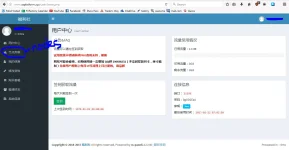
pag login, hanapin ang nodes, symbol yan ng network, nasa screenshot. then click nodes.
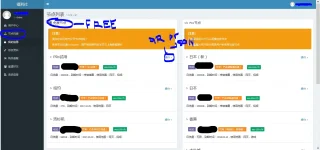
eto na yan if nasa node view na kayo. yang nasa left side, free nodes, yung sa right, pro yun. pwede nyo sila gamitin pareho. then just follow the screenshot to reveal the qr code or json format. mas better for this ang json kasi andun na ang server details. copy mo na lang. english yun. haha..
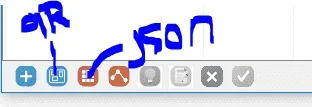
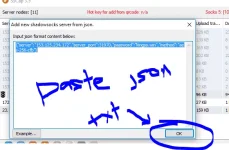
sa sscap for pc, may icons dyan sa baba if add kayo new server using qr or json. if qr, may lalabas na colored mouse cursor, then drag lang till ma-cover nyo ang qr code, then automatic add na yan. for json, just copy the entire text displayed and paste sa textbox provided, if you selected load from json file sa sscap.
sample format ng json {"server":"153.125.234.172","server_port":31970,"password":"kingss.win","method":"aes-256-cfb"}
for postern, select shadowsocks as proxy type and select the method na nasa server.
kaya nyo na yan.
attached nga pala yung sa sscap pano add from json format.
 PH
PH