 PH
PremiumCourses
Honorary Poster
Free Download WinPE 11-10-8 Sergei Strelec 2026 | Full ISO + Update ρá†ch | File Size: 5 GB/927 MB
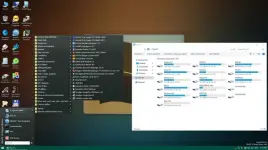
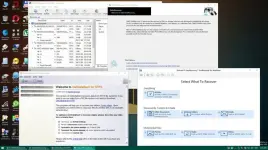
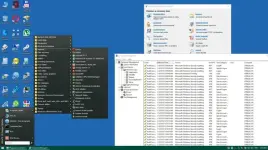
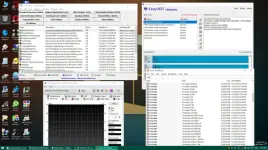
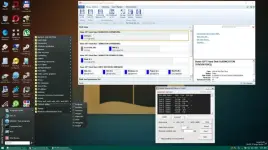
Sergei Strelec WinPE is a comprehensive bootable maintenance and recovery environment designed for Windows computers. It provides a collection of specialized utilities for managing hard drives, repairing partitions, backing up and restoring systems, diagnosing hardware problems, recovering lost data, and installing Windows.
Based on multiple Windows Preinstallation Environment (WinPE) platforms, the toolkit supports Windows 8, Windows 10, and Windows 11 environments in both x86 and x64 configurations. It can be started from a USB drive or CD/DVD, making it useful for troubleshooting computers that cannot boot into their installed operating systems.
The collection includes a wide range of third-party utilities covering disk management, system backup, hardware diagnostics, network administration, password recovery, file management, and data restoration. It also provides dedicated DOS-based utilities and Windows recovery environments for additional maintenance tasks.
Software Overview
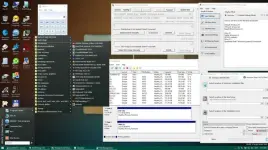
Sergei Strelec WinPE brings together numerous computer maintenance tools in a portable bootable environment. Instead of relying on an operating system installed on the target computer, technicians can boot directly into WinPE and access utilities for diagnosing problems, managing storage devices, repairing Windows installations, and recovering important files.
The assembly includes several boot environments: WinPE11x64, WinPE10x64, WinPE10x86, WinPE8x86, and WinPE8x86 Native. Both x86 and x64 environments provide dedicated collections of backup, partition management, diagnostics, and recovery applications.
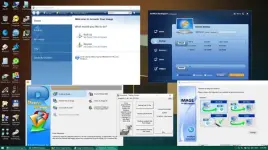
Its backup and restoration utilities include Acronis True Image, EaseUS Todo Backup, AOMEI Backupper, Macrium Reflect, R-Drive Image, and other disk imaging applications. Partition management is covered by tools such as Acronis Disk Director, MiniTool Partition Wizard, EaseUS Partition Master, AOMEI Partition Assistant, and DiskGenius.
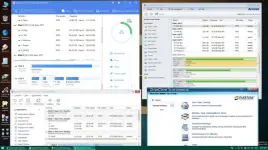
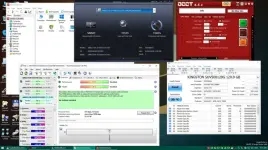
For hardware troubleshooting, the collection provides utilities for checking disk health, testing system stability, monitoring temperatures, examining hardware information, and evaluating storage performance. Data recovery applications such as R-Studio, Active File Recovery, GetDataBack, and TestDisk are also included.
Key Features
- Bootable maintenance environments based on Windows 8, Windows 10, and Windows 11 PE.
- Support for x86 and x64 boot environments.
- System backup and restoration using multiple disk imaging utilities.
- Hard disk partitioning, formatting, cloning, and management.
- Storage diagnostics and hardware monitoring.
- CPU, memory, display, and system stability testing.
- Data recovery tools for retrieving lost files and partitions.
- Windows installation and deployment utilities.
- Password recovery and Windows login unlocking tools.
- Network administration and remote access applications.
- File management, copying, and disk analysis utilities.
- Encryption utilities including VeraCrypt and DiskCryptor.
- DOS-based maintenance and hardware diagnostic applications.
- Support for booting from USB and CD/DVD media.
Backup and Recovery
- Acronis True Image
- Acronis Cyber Protect
- AOMEI Backupper
- EaseUS Todo Backup
- Macrium Reflect
- Hasleo Backup Suite
- R-Drive Image
- Veritas System Recovery
- Symantec Ghost
- TeraByte Image for Windows
- Drive SnapShot
- Acronis Disk Director
- Paragon Hard Disk Manager
- MiniTool Partition Wizard
- AOMEI Partition Assistant
- EaseUS Partition Master
- EaseUS Disk Copy
- Macrorit Partition Expert
- NIUBI Partition Editor
- DiskGenius
- Active Partition Manager
- HDD Raw Copy Tool
- HD Tune
- Victoria
- Hard Disk Sentinel
- CrystalDiskInfo
- CrystalDiskMark
- AIDA64 Extreme
- CPU-Z
- HWiNFO
- OCCT
- BurnInTest
- PerformanceTest
- HDDScan
- MemTest86
- TeamViewer
- AnyDesk
- RustDesk
- HopToDesk
- AeroAdmin
- Supremo
- PuTTY
- FileZilla
- OpenVPN
- UltraVNC
- TightVNC
- Advanced IP Scanner
- WireSock VPN
- R-Studio
- Active File Recovery
- Active Partition Recovery
- EaseUS Data Recovery Wizard
- Runtime GetDataBack
- Runtime RAID Reconstructor
- TestDisk
- ShadowCopyView
- UltraISO and PowerISO
- Total Commander
- WinNTSetup
- Bootice
- EasyBCD and EasyUEFI
- Dism++
- WinHex
- FastCopy and TeraCopy
- Everything
- WinDirStat
- NirLauncher
- DriverStore Explorer
- VeraCrypt
- DiskCryptor
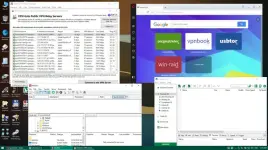
The WinPE environment includes network configuration utilities for working with TCP/IP, NetBIOS, PPPoE, WLAN, and WebDAV connections. PENetwork provides an interface for configuring network adapters and connecting to wireless networks.
Wireless network adapter drivers can be added to the appropriate driver directories for automatic installation during startup. The assembly also supports importing saved WLAN profiles from a USB drive, allowing users to reconnect to previously configured wireless networks.
Network drives can be mapped using Windows network paths and user credentials. Additional controller and wireless drivers can be placed in the designated x86 or x64 driver folders to make them available during the boot process.
Native Mode
Native Mode is an alternative boot method that starts with a specially prepared minimal kernel before loading the full environment from the installation media.
Its main advantages include faster startup on older USB connections, reduced memory consumption, and compatibility with certain older processors. However, this mode has limitations involving media dependency, processing performance, and support for certain CPU features. Standard boot mode is recommended for modern computers.
What's New
The assembly includes bug fixes, general improvements, and updates to several bundled applications.
Updated Programs
- AOMEI Backupper 8.5.1
- Hasleo Backup Suite 6.0.2.0 (x64)
- TeraByte Image for Windows 4.13
- Macrium Reflect X 10.0.8989 (x64)
- Macrium Reflect 8.1.8972 (x64)
- EaseUS Todo Backup 16.3.1 Build 20260721 (x64)
- Drive SnapShot 1.51.0.1869
- EaseUS Partition Master 20.8.0 Build 202609231322 (x64)
- EaseUS Disk Copy 7.2.0 Build 20260821 (x64)
- Macrorit Partition Expert 8.9.6
- Active KillDisk 26.0.28 (x64)
- R-Studio 9.5.191861
- EaseUS Data Recovery Wizard 21.0.0 (x64)
- DriverStore Explorer 1.0.36 (x64)
- AIDA64 Extreme 8.40.5000 (x64)
- CrystalDiskInfo 9.9.4
- CPU-Z 3.02
- HWiNFO 8.54.6090
- HD Tune 6.10 (x64)
- WinDirStat 2.9.3
- AnyDesk 9.8.3
- Supremo 5.0.5.3901
- HopToDesk 1.46.80 (x64)
- RustDesk 1.5.1 (x64)
- PuTTY 0.85
- TightVNC 2.8.90
- UltraVNC 1.8.3.1
- Radmin VPN 2.1.4951.1
- DiskCryptor 2.0.2
- Memtest86+ 9.00 (UEFI/DOS)
- ECOMTECH BOOT Fixer 1.0.2 (x64)
- Diskpart GUI by Abdullah ERTÜRK v4 (x64)
- VirtIO Drivers (storage and network) (x64)
- WireSock VPN (Auto connect Cloudflare WARP) (x64)
- Operating System Environments: Windows 8, Windows 10, Windows 11.
- RAM: 2 GB / Native Mode: 512 MB.
- Bootable CD/DVD drive or USB boot support.
What is Sergei Strelec WinPE used for?
It is a bootable computer maintenance environment used for system recovery, disk management, Windows installation, hardware diagnostics, backup, and data recovery.
Can Sergei Strelec WinPE run without an installed Windows system?
Yes. It boots independently from USB or CD/DVD media into a Windows Preinstallation Environment, allowing users to access maintenance utilities even when the installed operating system cannot start.
Does the assembly support both 32-bit and 64-bit systems?
Yes. It includes multiple x86 and x64 WinPE environments, with separate utilities available for the corresponding architectures.
Can I recover deleted files using this toolkit?
Yes. Its included recovery applications, such as R-Studio, EaseUS Data Recovery Wizard, Active File Recovery, and TestDisk, provide tools for recovering lost files and partitions.
Can I connect to Wi-Fi in WinPE?
Yes. Wireless connectivity is supported through PENetwork, provided the required wireless network adapter drivers are available and installed.
Home Page
Code:
https://sergeistrelec.name- Software Name: Sergei Strelec WinPE
- Languages: English
- License type: Full Version
- File Size: 5 GB/927 MB
Download ( Rapidgator )
You do not have permission to view the full content of this post. Log in or register now.
ClicknUpload
You do not have permission to view the full content of this post. Log in or register now.
You do not have permission to view the full content of this post. Log in or register now.
You do not have permission to view the full content of this post. Log in or register now.
You do not have permission to view the full content of this post. Log in or register now.
You do not have permission to view the full content of this post. Log in or register now.
You do not have permission to view the full content of this post. Log in or register now.
DDownload
You do not have permission to view the full content of this post. Log in or register now.
You do not have permission to view the full content of this post. Log in or register now.
You do not have permission to view the full content of this post. Log in or register now.
You do not have permission to view the full content of this post. Log in or register now.
You do not have permission to view the full content of this post. Log in or register now.
You do not have permission to view the full content of this post. Log in or register now.
FreeDL
You do not have permission to view the full content of this post. Log in or register now.
You do not have permission to view the full content of this post. Log in or register now.
You do not have permission to view the full content of this post. Log in or register now.
You do not have permission to view the full content of this post. Log in or register now.
You do not have permission to view the full content of this post. Log in or register now.
You do not have permission to view the full content of this post. Log in or register now.