 PH
PH-
Welcome to PHCorner Forums! Sign up for free to unlock full access and exclusive privileges, including:
- Asking questions about computer and mobile issues
- Discovering internet tips for your mobile network and computer
You are using an out of date browser. It may not display this or other websites correctly.
You should upgrade or use an alternative browser.
You should upgrade or use an alternative browser.
🔒 Closed Hala pano to ayusin :(
- Thread starter bhiskitz
- Start date
- Status
- Not open for further replies.
t h i n k s t e r
Forum Guru
Audio drivers? open mo
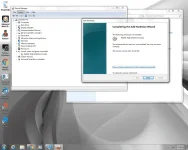
device manager mo.
Check mo for errors
outdated drivers o mali, o corrupted. ..
device manager mo.
Check mo for errors
outdated drivers o mali, o corrupted. ..
That Poppy
Forum Guru
This error is basically saying that Windows, for one reason or another, cannot communicate properly with one of your programs. This communication problem is usually caused by out-of-date, missing or corrupt device drivers. Error Code 10 usually relates to communication with 1394 devices which are generally connected via a Firewire or USB cable.
To resolve Error Code 10 we recommend the following:
To resolve Error Code 10 we recommend the following:
- Reboot your computer – this is always a first step to resolving any problems, if it works – great, if not – proceed to the next step!
- Select Start > All Programs > Windows Update
- Right-click on My Computer
- Click Properties > Hardware menu tab > Device Manager
- Double-click the device that is causing the error (there will be a yellow triangle with exclamation mark to the left of it)
- Right-click the specific device and select Properties
- Click on the Driver menu tab and select Update Driver
- Windows may ask for the path of the driver in which case you will need to either *********** Drivers disk (if you have it) or download the Drivers from the manufacturers website
- Restart your computer
naka start poNakastart ba po yung windows audio service check niyo po: ctrl+r -> type services.msc -> tapos hanapin niyo po windows audio
updated poUpdate mo lang driver mo.. download sa google.
pag reformat ko ayun wala na bagong format kasi yan nag aupdate ako ng mga drivers yan yung problema ko ngayun walang sound ehbhiskitz sir last logon niyo ba ng pc niyo wala pa yung problem na iyan?
hmmm parang sound card na nga problema nito kasi lahat ng tinuro sa net at phc ayaw lahat umokey eh..baka may nadownload kayo na nakaapekto sa driver, o kaya nasira yung mismong sound card
- Status
- Not open for further replies.
Similar threads
-
❓ Help Help to tiktok reward pano po ayusin ito
- Started by romeo28719
- Replies: 1
-
-
❓ Help Guys huawei id lock pano to ayusin?
- Started by anonizuru
- Replies: 1
-
-
❓ Help Patulong mga lods sa gmail ko paano to ayusin.
- Started by Alexander123
- Replies: 3
About this Thread
-
11Replies
-
500Views
-
6Participants
Last reply from:
bhiskitz
bhiskitz
New Topics
-
Pc no device found
- Started by ashura12
- Replies: 0
- ❓ Computer Discussion & Support
-
INTERNATIONAL WEBINAR AND 2 LOCAL SEMINAR
- Started by PHC-JIA
- Replies: 0
- ❓ Computer Discussion & Support
-
Door Lock Keycard SDK
- Started by Porky Chao Fan
- Replies: 0
- ❓ Computer Discussion & Support
-
Counter strike sa mac
- Started by AYuna23
- Replies: 0
- ❓ Computer Discussion & Support
-
Booting Issue - FA506NFR
- Started by Impossible
- Replies: 0
- ❓ Computer Discussion & Support
-
Acrobat Pro DC ρá†ch. Need Help
- Started by skullkrasher99
- Replies: 3
- ❓ Computer Discussion & Support
-
Enlighten me please with these two
- Started by Jeii
- Replies: 4
- ❓ Computer Discussion & Support
-
Win 10 Home keys
- Started by Ali246
- Replies: 6
- ❓ Computer Discussion & Support
Trending Topics
Online now
- Members online
- 401
- Guests online
- 9,308
- Total visitors
- 9,709