 PH
-
Welcome to PHCorner Forums! Sign up for free to unlock full access and exclusive privileges, including:
- Asking questions about computer and mobile issues
- Discovering internet tips for your mobile network and computer
You are using an out of date browser. It may not display this or other websites correctly.
You should upgrade or use an alternative browser.
You should upgrade or use an alternative browser.
Google AI Pro Portal [English] - 2-Years + 1-Month YT
- Thread starter nmrisrl11
- Start date
PHC-PusangGreen
Forum Veteran
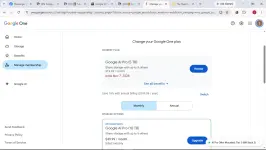
Paldo HAHAHA
PHC-PusangGreen
Forum Veteran
Maraming Salamat amo <3
boss anong gamit mong vpnView attachment 4414316
Paldo HAHAHA
PHC-PusangGreen
Forum Veteran
Oyster VPN lang amoboss anong gamit mong vpn
KleinKlein
Established
Ano ginawa nyo lods? Bat ayaw mag stack sakin hahahahaView attachment 4414316
Paldo HAHAHA
PHC-PusangGreen
Forum Veteran
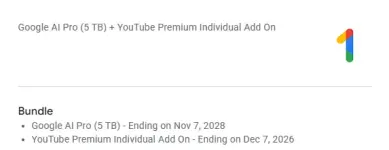
pano ka nag stack?
PHC-PusangGreen
Forum Veteran
sundin mo lang yung nasa extensionpano ka nag stack?
NatureBoy113
Eternal Poster
anung gamit nyong payment method mga bossing?
Charlotte Katakuri
Elite
Salamat bossing keep sharing. Working sya
 angas din UI nakakalula ang galing

NatureBoy113
Eternal Poster
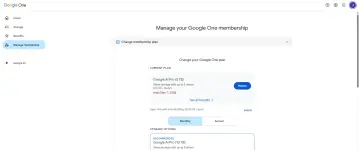
Di ako makapasok jan di magpasok ung mga card ko.
akbarsaidul
Grasshopper
ayaw gumana sheesh. huhuhuh
Charlotte Katakuri
Elite
Bakit sayo hanggang 2028 sa akin 2027 lng hahaha. Ayaw gumana ng stack sa akin
Charlotte Katakuri
Elite
Try mo gumamit ng gotyme gagana yanDi ako makapasok jan di magpasok ung mga card ko.
Thank you very much, your method is the best and easiest and most importantly in english. But still many things are not clear.
Step 5: Optional Multi-Tier Stacking (Tiers 2 & 3)
- Once Tier 1 is confirmed and active, return to: You do not have permission to view the full content of this post. Log in or register now. ---> confirmed means we click SUBSCRIBE or what? Because when the subscribe is done no plans page appears, it never comes
- Open the extension popup and select "Tier 2 · 6 Months (SS)". ----> Yes it comes but sometimes don't stack
- Repeat the checkout process and verify that today's charge is $0.00.
- Once Tier 2 is confirmed, repeat the process with "Tier 3 · 6 Months" if desired. ------> One time i only got 6 months no stacking.
* Note: Each tier stacks an additional validity period onto your active plan.
Please confirm in the first TIER do we need to click subscribe or not. That would clarify
Step 5: Optional Multi-Tier Stacking (Tiers 2 & 3)
- Once Tier 1 is confirmed and active, return to: You do not have permission to view the full content of this post. Log in or register now. ---> confirmed means we click SUBSCRIBE or what? Because when the subscribe is done no plans page appears, it never comes
- Open the extension popup and select "Tier 2 · 6 Months (SS)". ----> Yes it comes but sometimes don't stack
- Repeat the checkout process and verify that today's charge is $0.00.
- Once Tier 2 is confirmed, repeat the process with "Tier 3 · 6 Months" if desired. ------> One time i only got 6 months no stacking.
* Note: Each tier stacks an additional validity period onto your active plan.
Please confirm in the first TIER do we need to click subscribe or not. That would clarify
Similar threads
-
👨🏫 Tutorial Google AI Pro free for 2 years the trick is now open source (not yet tested)
- Started by iTropicana
- Replies: 14
-
✅ Tested [Free] Google AI Pro 24 Months + YouTube Premium 1 Month - TESTED
- Started by thtn
- Replies: 6
-
🔒 Closed Google AI Pro 12 months + ᑕᕼᗩTGᑭT Plus 1 month + YT Premium + Spotify (1 winner only)
- Started by Vibnz
- Replies: 12
-
🤝 Sold GOOGLE AI 1 Year+ TGT GO 1 Year + YT PREMIUM 1 Month
- Started by MrRockyRoad
- Replies: 40
About this Thread
-
40Replies
-
466Views
-
17Participants
Last reply from:
skphero
skphero
New Topics
-
Crunchyrōll Premium Account | Mega Fan #57
- Started by Beatriz9
- Replies: 0
- 🆓 Freemium Access
-
Please Help!! Cánvá rø for education use
- Started by silversnake
- Replies: 2
- 🆓 Freemium Access
-
DISNEY PLUS | Premium Account (NO NEED VPN) #23
- Started by Beatriz9
- Replies: 0
- 🆓 Freemium Access
-
CAPCUT PRO Account | Valid Until 2027 #3
- Started by Beatriz9
- Replies: 2
- 🆓 Freemium Access
-
NETFLIX PREMIUM PH | DIRECT LINK for TV #132
- Started by Beatriz9
- Replies: 3
- 🆓 Freemium Access
-
NETFLIX PREMIUM PH | DIRECT LINK for DESKTOP #132
- Started by Beatriz9
- Replies: 0
- 🆓 Freemium Access
-
NETFLIX PREMIUM PH | DIRECT LINK for MOBILE #132
- Started by Beatriz9
- Replies: 0
- 🆓 Freemium Access
-
Baka may Cánvá ρrø kayo diyan sobrang need lang thank you
- Started by Bokie_09
- Replies: 4
- 🆓 Freemium Access
-
DisneyPlus Premium Account 1x Tested #6 11-07-26
- Started by BossHabibi
- Replies: 0
- 🆓 Freemium Access
-
EXPRÉSS VPN PREMIUM ACCOUNT | 2 YEARS #9
- Started by Beatriz9
- Replies: 0
- 🆓 Freemium Access
Trending Topics
Online now
- Members online
- 1,058
- Guests online
- 11,548
- Total visitors
- 12,606