PH
 GOOGLE AI PRO SUBSCRIPTION GUIDE
* Use ρáíd VPN E×ρréšš/𝚂𝚞𝚛𝚏𝚜𝚑𝚊𝚛𝚔 and connect to USA Portland - Oregon
* Install & Open the extension you want to use
Google AI PRO
You do not have permission to view the full content of this post. Log in or register now.
You do not have permission to view the full content of this post. Log in or register now.
* Select a tier above → refresh the page → wait for “Injection mounted” to appear in the bottom-right corner.
* Click Get discount on the AI Pro card to open the Google Play checkout window.
* Check the banner at the top of the popup: Green = Free to subscribe; Red = Do not click.
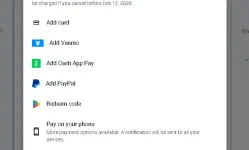
* Add a payment card (use the US tax-free ZIP code 97201) → verify that the total is $0.00 → subscribe.
* To stack another tier: return to the page, switch to another tier → refresh → click again.
* Once everything is complete, go to play.google.com and cancel automatic renewal.