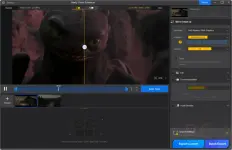
Aiarty Video Enhancer is a desktop AI tool that denoises, deblurs, and upscales low-quality videos to 4K, including grainy family recordings and poorly lit phone footage. It processes everything offline on your computer, making it useful for restoring old memories or improving video quality for creative projects.
Hands-on with Aiarty Video Enhancer: what it actually does
In-Depth Review & Features
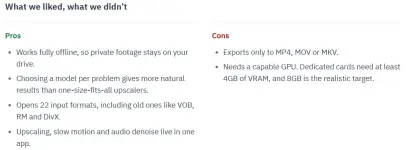
The smartest thing about You do not have permission to view the full content of this post.Log in or register now. is that it doesn’t pretend one You do not have permission to view the full content of this post.Log in or register now. fits every clip. Grainy night footage, a soft 720p vlog and an old camcorder tape fail in different ways, so you pick the model that matches the problem instead of cranking a single sharpness dial. Everything runs locally, which matters more than it sounds: private family videos never leave your machine, and there’s no waiting on uploads for big files.
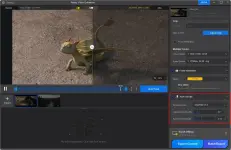
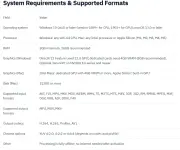
Aiarty says Turbo mode takes a 2-minute 1080p clip to 4K in about 2 minutes. That depends heavily on your GPU, though, and the hardware floor is real. The giveaway build has one notable gap. Without Strength control you can’t dial an over-eager model back, so on faces it pays to start with Smooth-HQ before reaching for the detail model.
AI-Powered Upscaling to 4K: Aiarty Video Enhancer brings a fresh look into old, blurry, or low-res videos by automatically upscaling them to crystal-clear 1080p or 4K with smart AI upscaling technology.
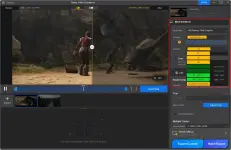
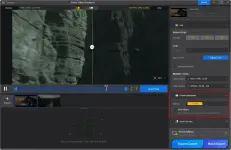
Advanced AI Models for Versatile Enhancement: Thsi tool provides 3 AI models: moDetail-HQ v2 for adding sharpness and intricate detail, Smooth-HQ v2 for restoring color fidelity and texture, and superVideo vHQ for handling extremely noisy or low-light footage.
GPU‑Accelerated Speed & “Turbo Mode”: This tool leverages hardware acceleration and a dedicated Turbo Mode to deliver real-time video enhancement speeds, especially on modern NVIDIA GPUs. It has the ability to 4K upscaling with superior quality, 3X more efficient than other AI tools.
Advanced Denoising & Deblurring: By using a proprietary combination of Diffusion and GAN technology, the AI models automatically reduce noise and sharpen blurry footage, restoring frames with camera-like precision.
AI Frame Interpolation: Stuttering videos can easily be improved to 90fps, 120fps, or higher using the AI frame interpolation module, which also creates new frames for fluid slow-motion videos.
AI Audio Denoise: Thanks to using sophisticated AI algorithms, this tool can remove unwanted background noise and enhance vocals with precision, bringing crystal-clear sound.
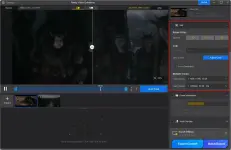
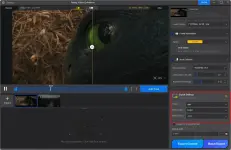
Quick Edit: With built-in video editing options including rotate, flip, crop, and de-interlace, this tool is perfect for correcting angles or preparing content for different platforms such as Instagram, TikTok, YouTube, and more.
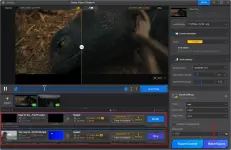
Batch Processing: The software supports batch processing, enabling users to upscale, enhance, and add details to multiple videos at once with AI to save time and boost efficiency, with no limits on the number of files.
Wide Format Support: This tool supports 20+ input video formats, including MP4, AVI, MOV, MKV, WMV, FLV, TS, M2TS, MTS, plus older formats like RM, VOB, DivX. You are allowed to export videos in MP4 and MOV formats.
 PH
PH