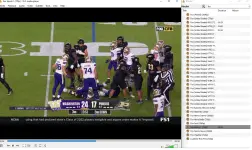
PH
How to use on VLC:
First go to media then open network stream
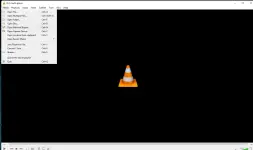
then you can input the playlist you want
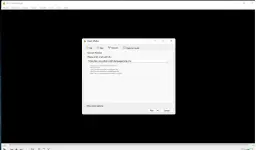
then go to view click playlist you can see all the available channel
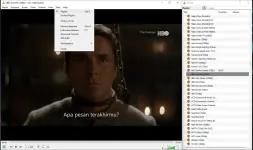
The playlist are constantly being updated just clear your playlist and upload again
Please support my thread just like and comment thanks.
PS: Please dont sell or credit grab it if i found out i will terminate it
----------------------------------------------------------
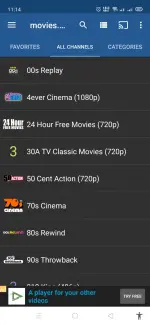
For those who are asking how to use on mobile phone just download IPTV player you can also use this on your tv box
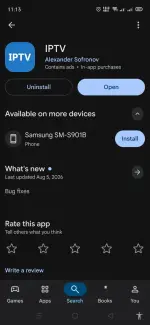
for recommendation i suggest IPTV player by Alexander Sofronov its straightforward and easy to use.
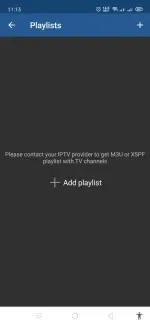
Once you open it click the + add playlist
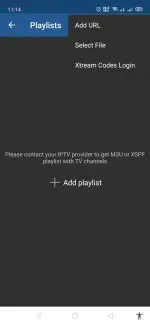
then click the 3 dot on top right corner click add url
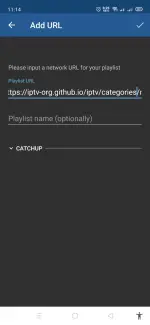
here you can input your playlist
then you can see all the channels
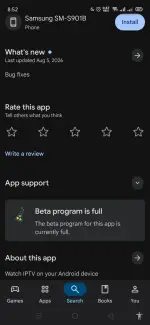
Sorry guys but this IPTV player is already full anyways any IPTV player will work
-----------------------------------------------
For browser you can go to You do not have permission to view the full content of this post. Log in or register now.
Then go to M3U8 you can input the playlist there
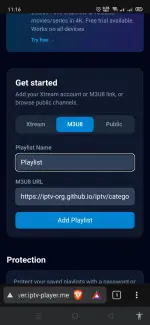
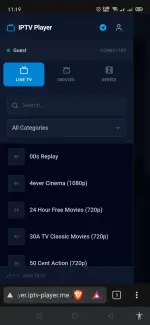
After that you can see all the channels already
------------------------------------------------------------
For advance user you can download this IPTV Checker
You can scan playlist and see how many channels are alive dead or geolock
You can see the ping the quality of the video and many more its up to you to discover it
For those who are making their own playlist this is a great tool for you to test your playlist
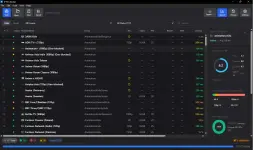
you can download it here:
You do not have permission to view the full content of this post. Log in or register now.
First go to media then open network stream
then you can input the playlist you want
then go to view click playlist you can see all the available channel
The playlist are constantly being updated just clear your playlist and upload again
Please support my thread just like and comment thanks.
PS: Please dont sell or credit grab it if i found out i will terminate it
Spoiler contents are visible only to Established Members.
----------------------------------------------------------
For those who are asking how to use on mobile phone just download IPTV player you can also use this on your tv box
for recommendation i suggest IPTV player by Alexander Sofronov its straightforward and easy to use.
Once you open it click the + add playlist
then click the 3 dot on top right corner click add url
here you can input your playlist
then you can see all the channels
Sorry guys but this IPTV player is already full anyways any IPTV player will work
-----------------------------------------------
For browser you can go to You do not have permission to view the full content of this post. Log in or register now.
Then go to M3U8 you can input the playlist there
After that you can see all the channels already
------------------------------------------------------------
For advance user you can download this IPTV Checker
You can scan playlist and see how many channels are alive dead or geolock
You can see the ping the quality of the video and many more its up to you to discover it
For those who are making their own playlist this is a great tool for you to test your playlist
you can download it here:
You do not have permission to view the full content of this post. Log in or register now.