 PH
PHProof of withdrawal

Method :
1. Mag install nang tampermonkey
2. I-paste ang script na nasa baba
3. I-run sa Game at kumita nang pera passively using the script, paldo
Step 1 -
mag install nang tampermonkey using Edge browser sa android
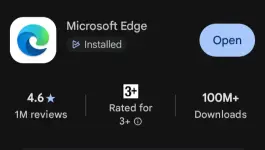
After downloading The Microsoft edge, search "tampermonkey Extension"
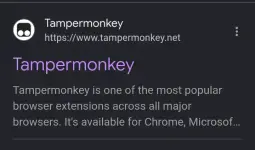
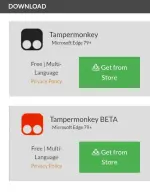
And then, get from store mo yung kulay black
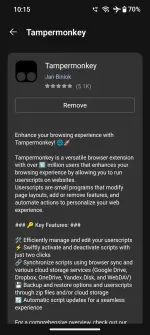
And then wait a secs... Labas Itong page na to, click nyo lang yung install or start (naging "remove" na sakin kasi na click ko na)
Now I check nyo kung naka-enable na si tampermonkey sa Edge browser
- Click menu
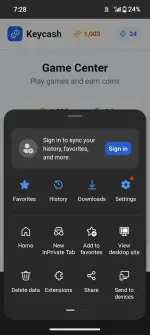
- click extensions (parang puzzle icon)
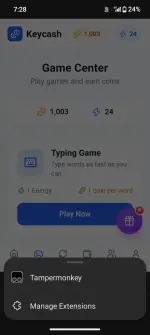
- click tampermonkey (first option)
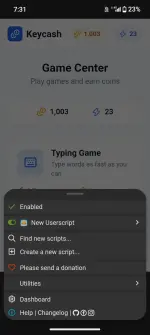
At ganyan dapat baka check mark si enabled, now wala pang script yan, so ang purpose ni tampermonkey is taga-run lang sya nang script natin, kung mapapansin nyo dyan may nakasulat (+ Create a new script)
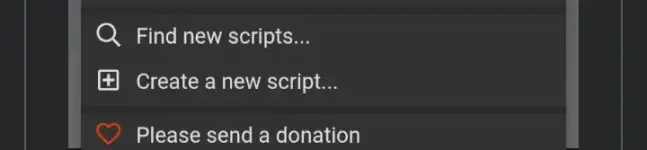
Step 2 - I-paste ang script
Click nyo lang yang create a new script and then copy the script here:
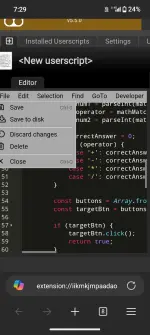
And then paste nyo sa tampermonkey and click save
Step 3 - i-run sa Game at kumita
Saang game?
Register here :
You do not have permission to view the full content of this post. Log in or register now.
Dyan po kayo maglalaro at ilagay nyo sa math question, hindi sa typing game or emoji, sa math po
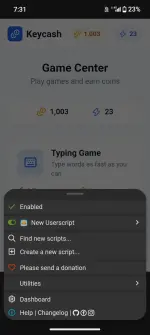
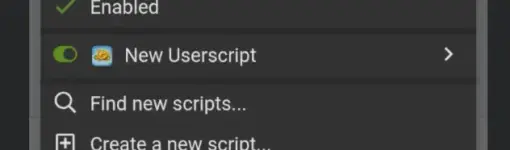
Make sure na nakatoggle button ang new userscript
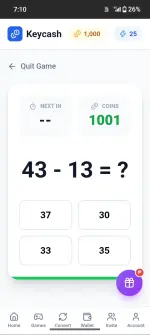
Kapag Nandun na kayo sa math questions at naka enabled lahat yang script, mag solve sya kusa para sayo automatically,
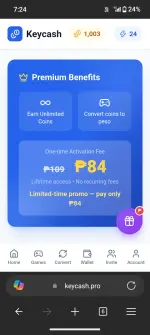
if nakaipon na kayo nang pts, need nyo ng mga ₱84 investment para ma convert nyo ang pts ninyo, not bad kasi one time lang yang bayad, and araw araw nakaopen ang script so araw araw paldo
Goodluck^^
Method :
1. Mag install nang tampermonkey
2. I-paste ang script na nasa baba
3. I-run sa Game at kumita nang pera passively using the script, paldo
Step 1 -
mag install nang tampermonkey using Edge browser sa android
After downloading The Microsoft edge, search "tampermonkey Extension"
And then, get from store mo yung kulay black
And then wait a secs... Labas Itong page na to, click nyo lang yung install or start (naging "remove" na sakin kasi na click ko na)
Now I check nyo kung naka-enable na si tampermonkey sa Edge browser
- Click menu
- click extensions (parang puzzle icon)
- click tampermonkey (first option)
At ganyan dapat baka check mark si enabled, now wala pang script yan, so ang purpose ni tampermonkey is taga-run lang sya nang script natin, kung mapapansin nyo dyan may nakasulat (+ Create a new script)
Step 2 - I-paste ang script
Click nyo lang yang create a new script and then copy the script here:
And then paste nyo sa tampermonkey and click save
Step 3 - i-run sa Game at kumita
Saang game?
Register here :
You do not have permission to view the full content of this post. Log in or register now.
Dyan po kayo maglalaro at ilagay nyo sa math question, hindi sa typing game or emoji, sa math po
Make sure na nakatoggle button ang new userscript
Kapag Nandun na kayo sa math questions at naka enabled lahat yang script, mag solve sya kusa para sayo automatically,
if nakaipon na kayo nang pts, need nyo ng mga ₱84 investment para ma convert nyo ang pts ninyo, not bad kasi one time lang yang bayad, and araw araw nakaopen ang script so araw araw paldo
Goodluck^^