PH
PHMuse.ai Account Setup Guide
1. Connect to a U.S. VPN
Before opening the website, connect to a United States VPN server.- Preferred location: Atlanta, United States
- Recommended VPN: 𝚂𝚞𝚛𝚏𝚜𝚑𝚊𝚛𝚔 VPN, E×ρréšš VPN, and Proton VPN
- Make sure the VPN is already connected before proceeding to the next step.
2. Open Brave or Opera in Incognito/Private Mode
Open Brave or Opera Browser and create a new Private/Incognito window.3. Create a New Muse.ai Account
While connected to the U.S. VPN and using the Brave private window, go to:You do not have permission to view the full content of this post. Log in or register now.
Create a new account and complete the registration process.
4. Use the Referral Code
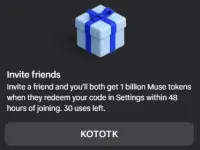
Use the following referral/invite code:6TTIFI

5. Redeem the Code for 1 Billion Tokens
After successfully creating and logging in to your account:Settings → General → Redeem Code
Enter the invite/referral code:
6TTIFI
Then complete the redemption process.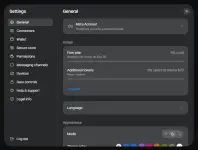
You do not have permission to view the full content of this post. Log in or register now.