PH
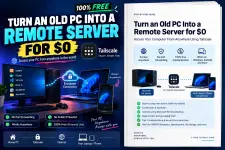
PH What can you use the old PC for?
After natin ma-setup, puwede mo siyang gamitin for things like:
XAMPP • PHP • Laravel • Node.js • Docker • MySQL • PostgreSQL • VS Code • Git • File Storage • Development Server • Home Lab
Basically, parang may sarili kang mini private VPS sa bahay.
The difference is that instead of renting a cloud server, ginagamit natin yung PC na meron ka na.
 Before We Start
For Microsoft's built-in Remote Desktop server, the PC you're connecting to should normally be:
Windows 10/11 Pro, Enterprise, Education, or Windows Server.
If your old PC is running Windows Home, Tailscale will still work, but Windows Home cannot act as Microsoft's normal RDP host. You can use something like RustDesk instead.
Also, this tutorial is intended for personal/home use. Tailscale's current Personal plan is free for non-commercial use
Download this pdf andito yung TUT >>>>>
You do not have permission to view the full content of this post. Log in or register now.