 PH
PHHey guys, quick update on AnimeStop!
A lot of you have been checking out the web version, so I decided to turn it into a dedicated Windows desktop app as well. If you hate keeping heavy browser tabs open or just prefer having a standalone app on your PC to watch anime, this one's for you.
Basically, it packages the whole web app experience into a clean desktop client so it feels faster and lighter on RAM.
What to expect:
Enjoy watching!

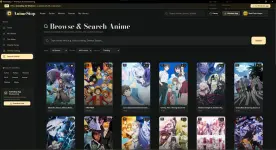
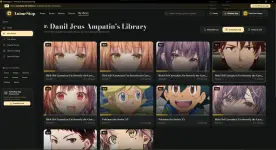
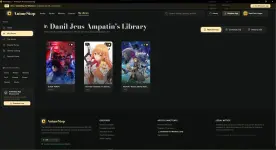

A lot of you have been checking out the web version, so I decided to turn it into a dedicated Windows desktop app as well. If you hate keeping heavy browser tabs open or just prefer having a standalone app on your PC to watch anime, this one's for you.
Basically, it packages the whole web app experience into a clean desktop client so it feels faster and lighter on RAM.
What to expect:
- Clean & Ad-free UI — No random pop-ups or redirect tabs while browsing (player ads are from the third-party stream source, but the app itself is 100% clean)
- Standalone Windows App — No need to open Chrome/Brave; runs smoothly on desktop with fullscreen support
- All the usual sections — Trending, Top Airing, Most Popular, and the Quick Genre filters (Shonen, Romance, Action, etc.)
- Library / Watchlist — Keep track of the series you're currently binging
- Fast Navigation — Built-in trailers, synopses, and quick episode selectors
 Windows App:
You do not have permission to view the full content of this post. Log in or register now.
Windows App:
You do not have permission to view the full content of this post. Log in or register now. Web Version:
You do not have permission to view the full content of this post. Log in or register now.
Web Version:
You do not have permission to view the full content of this post. Log in or register now.
Enjoy watching!