 PH
PH
Microsoft SwiftKey AI Keyboard


What is Microsoft SwiftKey Keyboard?
Microsoft SwiftKey Keyboard is an alternative keyboard for mobile that replaces the traditional keyboard and adds functions designed to make typing more comfortable.It includes auto-correction, word suggestions, swipe, emojis, GIFs, themes, and support for hundreds of languages.
Type faster with suggested words
As you type, SwiftKey tries to anticipate the word you want to use and displays several options above the keyboard.When the suggestion is correct, simply tap it to complete the word without having to write all the letters.
The keyboard learns the way you type
One of its best-known functions is that it gradually adapts to the words and E×ρréššions you use frequently.This includes nicknames, common phrases, and certain ways of writing that may not normally appear in a dictionary.
Fix mistakes while typing
SwiftKey includes automatic correction to help when you tap a wrong letter or type a word with a mistake.Corrections appear as you type, and you can quickly accept a suggestion without having to delete the entire word.
Swipe to form words
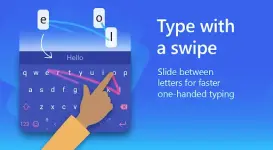
You don't always have to tap letter by letter. You can also swipe across the letters that make up a word and let the keyboard recognize what you want to type.After you get used to it, this system can be very convenient to respond to messages with one hand.
You can also write in the traditional way
If you prefer to play each letter like on any other keyboard, you can do so without changing any special settings.This allows you to switch between typing normally and swiping depending on what is most comfortable at any given time.
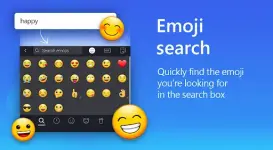
Use emojis directly from the keyboard
Microsoft SwiftKey includes a full emoji section so you can use them without leaving the conversation.The keyboard also learns which ones you use most often and can display them as suggestions based on what you're typing.
Find GIFs for your conversations
From the keyboard itself you can search for GIFs and use them to respond in a more visual way.This avoids having to open another app every time you want to find a specific reaction to a conversation.
Send tags and other reactions
In addition to emojis and GIFs, SwiftKey offers different elements that you can use to make messages more E×ρréššive.It's all inside the keyboard, so you can quickly switch between typing and looking for a reaction.
Customize the look of the keyboard
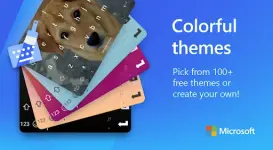
You don't have to use the same design every time. The app offers more than 100 themes with different colors and styles.You can try several until you find one that best matches the look of your phone or just change it up when you want something different.
Create a keyboard using your own photo
If the available themes aren't enough, you can also use a personal image as your keyboard background.This option allows you to create a more personal look without changing the way the keys work.
Change the size and layout
The keyboard can be adjusted to take up more or less screen space. This is useful if the keys seem too small or if you want to leave more space to view the conversation.You can also adapt the layout to make typing more comfortable based on the size of your device.
Use up to five languages at the same time
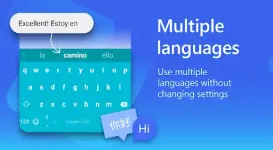
SwiftKey allows you to keep up to five languages active without having to manually switch between them every time you type.This is especially handy for people who are talking to friends or family in different languages during the same day.
Supports over 400 languages
The keyboard offers support for more than 400 languages, including Spanish, English, Portuguese, German, French, Italian, Arabic, Russian, Turkish, and many others.The wide number of languages allows you to use the same keyboard even if you regularly type in several languages.
Predictions also work with multiple languages
When you have multiple languages active, the keyboard can recognize which one you're typing in and display related suggestions.This avoids having to constantly change settings every time you switch between languages.
Customize the toolbar
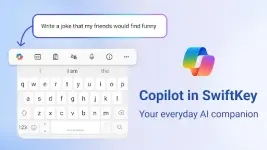
The top of the keyboard includes shortcuts to various functions that you can use during a conversation.You can arrange this bar to get the tools you use frequently closer and avoid wasting time looking for options.
Get quick access to the features you use most
From the bar you can open emojis, GIFs and other tools without leaving the keyboard.The ability to have these accesses always available makes switching between typing and searching for content much faster.
A keyboard designed for everyday messages and conversations
SwiftKey can be used in messaging apps, social media, emails, and pretty much anywhere you need to type from your mobile.After you set it as your main keyboard, it will automatically appear when an app needs to enter text.
Is it worth downloading Microsoft SwiftKey Keyboard?
Microsoft SwiftKey Keyboard is a good choice for those who want to type faster and have more control over how their keyboard looks. Suggestions, auto-correction, and swiping can save quite a bit of time during the day.It's also especially useful if you write in multiple languages or use a lot of emojis and GIFs. The ability to adapt the size, themes, and toolbar allows you to leave the keyboard pretty much to your liking.
Frequently Asked Questions
What is Microsoft SwiftKey Keyboard?
It is a smart keyboard that offers suggestions, automatic correction, swiping typing, emojis, GIFs, and different customization options.Does SwiftKey learn how I type?
Yes. The keyboard learns words, E×ρréššions, and typing habits to offer more useful suggestions over time.Can you write by swiping?
Yes. You can swipe between the letters to form words without having to tap them one by one.Does Microsoft SwiftKey have emojis?
Yes. It includes emojis and can learn which ones you use most often to suggest them during conversations.Can you search for GIFs?
Yes. The keyboard includes a tool to search and share GIFs directly.Can you change the look of the keyboard?
Yes. There are over 100 themes and you can also create one using a photo as a background.How many languages does SwiftKey support?
It supports more than 400 languages.Can multiple languages be used at the same time?
Yes. You can keep up to five languages active at once.Can you resize the keyboard?
Yes. You can adjust its size and layout to best suit your screen and the way you write.
You do not have permission to view the full content of this post. Log in or register now.