PH
PH

What is Microsoft Word?
Microsoft Word is a document editing application that allows you to create files from scratch or open documents that you already have saved. You can write text, change its formatting, insert content, and organize each page according to what you need.The app is designed for students, workers, writers, and anyone who needs to review or modify documents from their phone or tablet.
Create documents directly from your mobile phone
You can start a blank document and write from anywhere. The main tools are organized so that it's easy to change titles, paragraphs, font sizes, and other details without relying on a computer.This comes in handy when you need to finish a task, prepare a letter, or jot down an idea and don't have access to the equipment where you normally work.
Use templates to get started faster
Word includes templates for resumes, letters, proposals, invoices, brochures, and other types of documents. Instead of designing everything from scratch, you can choose a base and modify it with your own information.Templates save quite a bit of time, especially when you need to prepare a document with a neater appearance and don't want to worry too much about the design.
Write resumes, assignments, and work papers
The app serves many types of content. You can write a resume, complete an assignment, prepare a report, or write personal notes from the same place.Formatting tools allow you to organize headings, lists, and paragraphs so that the document is clear and easy to read.
Edit documents you already have saved
You don't always need to create a new file. Microsoft Word can open existing documents to correct text, add information, or make changes to formatting.This is especially useful when you receive a file in the mail or need to review a document you started earlier on another device.
Read documents without having to edit them
Word also includes a reader to open files and review their contents conveniently. You can scroll through long documents without having to go directly into the editing tools.This feature is handy for reading reports, tasks, contracts, or attachments when you just need to view the information.
Convert PDFs to Word
The application allows you to convert certain PDF files into Word documents so that you can modify them more easily.After conversion, you can correct text, add content, or change formatting without having to recreate the entire document from scratch.
Work with Word and PDF from the same app
The ability to work with both formats helps when you need to share a finished document or modify a file received as a PDF.This reduces the need to use multiple applications for tasks that are related to the same document.
Format text easily
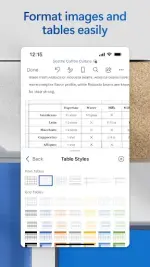
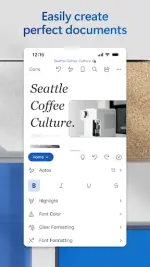
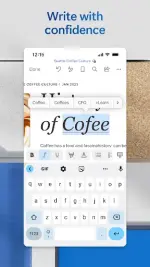
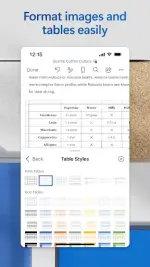
You can change fonts, sizes, styles, and alignment from the editing tools. It is also possible to organize headings and paragraphs to improve the presentation.Even if you're working from a small screen, the main options are available to keep a document looking neat.
Keep the same look on different devices
Word tries to keep documents formatted when you open them on your phone, tablet, or computer.This allows you to start a job on one device and continue on another without having to constantly correct the distribution.
Share documents with others
From the app you can send files or invite others to view and edit them.This makes it easier to work in a group and avoids having to create several different copies of the same document every time someone makes a change.
Work on the same document with others
Word allows multiple people to collaborate on a single file. Changes can be seen as the document is being updated.This option is especially useful for group tasks, work projects, or documents that require multiple people to participate.
Leave comments next to text
If you don't want to edit a part of the document directly, you can leave a comment to explain what needs to be reviewed.Comments help organize suggestions and make it easier to know what part of the text each person is discussing.
Review the changes made
When multiple people are working on a document, you can track changes to identify which parts were modified.This is useful when you need to review a version before definitively accepting the fixes.
Recover previous versions
Version history allows you to review previous drafts of a document and revert to a previous version if something was changed by mistake.This feature can save a lot of work when an important change didn't go as expected.
Control who can view or edit your files
When you share a document, you can decide whether someone else will have permission to view it only or if they can also make changes.This helps you maintain more control when you're sending important files to multiple people.
Send content while maintaining the format
Word allows you to copy content to be mailed without easily losing the original formatting.You can also directly attach the document when you prefer to share the entire file.
Use Copilot to help you write
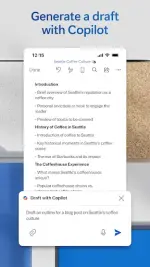
Microsoft Word may include Copilot features that help you write, summarize, and improve different types of content.For example, it can be used to organize an idea, improve a proposal or prepare a first version of a text that you can later review personally.
Summarize long documents with the help of Copilot
When you have an extensive file, Copilot can help you get a summary of the most important points.This can save time when you need to quickly understand a document before reading it in more detail.
Automatically enhance and organize texts
AI features can also help make text clearer, sort ideas, or adjust formatting.Even so, it is always advisable to review the result before using it, especially in important or professional documents.
Some features require Microsoft 365
Some of the advanced tools require an active Microsoft 365 subscription. This may include certain editing features and some Copilot options.Before subscribing, it's a good idea to review which tools you really need, as many basic tasks can be done without using all the available features.
Requires at least 1GB of RAM
Microsoft indicates that the device must have at least 1 GB of RAM to use the application.On older phones, performance may also depend on the size of the documents and applications that are open at the same time.
Is Microsoft Word worth downloading?
Microsoft Word is a good option for those who work with documents frequently and want to be able to open or edit them without always relying on a computer. Templates, formatting tools, and collaboration mean it can be used for both study and work.It's also especially useful if you're already using Word on PC and want to maintain a similar way of working on mobile. The ability to open documents, convert PDFs, and continue files from other devices makes day-to-day tasks much easier.
Frequently Asked Questions
What can you do with Microsoft Word?
You can create, read, edit, and share documents, as well as use templates and work with Word and PDF files.Can resumes be created?
Yes. The app includes templates for resumes and other types of documents that you can customize with your information.Can Microsoft Word open PDFs?
Yes. You can view PDFs and also convert certain files to Word for editing.Can you work with other people?
Yes. You can share documents, leave comments, and collaborate with others on the same file.Does Word save older versions?
Yes. Version history allows you to review and retrieve previous drafts when they are available.Does Microsoft Word have AI features?
Yes. Copilot can help you write, summarize, organize, and improve content, although some of these features may require a subscription.Do I need to have Microsoft 365?
Not for all features, but certain advanced tools and services may require a valid subscription.How much RAM does Microsoft Word need?
Microsoft requires a device with 1 GB of RAM or more.Can documents be shared from my mobile phone?
Yes. You can send files or invite others to view or edit them.
You do not have permission to view the full content of this post. Log in or register now.