 PH
PH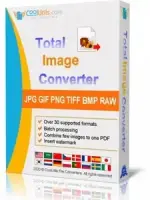
Free Download CoolUtils Total Image Converter 8.5.0.338 Multilingual | 70.5 Mb
CoolUtils Total Image Converter is an image conversion and processing utility for converting, resizing, cropping, rotating, and preparing images in a wide range of formats. It can handle common image types as well as RAW camera files and less frequently used formats.
The software supports batch processing, allowing multiple images to be converted or modified in one operation. Its processing tools include resizing, cropping, rotation, color-space conversion, framing, and watermarking, making it suitable for preparing images for web publishing, document production, archiving, and other workflows.
Total Image Converter also provides PDF creation with configurable permissions, password protection, and digital signatures. Advanced users can automate conversions through the command line, while the Total Image ConverterX SDK provides a server-oriented option without a graphical interface.
Software Overview
Total Image Converter supports input formats including TIFF, JPEG, JPEG2000, RAW, PNG, BMP, ICO, PSD, TGA, PCX, and PCD, along with numerous additional image formats. It can also process RAW photographs from a variety of camera formats, including CRW, CR2, NEF, PEF, RAF, X3F, RAW, BAY, ORF, NRW, SRF, and MRW.
Output options include PDF, TIFF, BMP, PNG, JPEG, JPEG2000, ICO, GIF, PCX, TGA, PXM, PS, and PCL, as well as additional supported formats. The application includes a preview panel and wizard-style interface with thumbnails or detailed file lists for managing conversion tasks.
Key Features
- Converts images between a broad range of supported formats.
- Processes TIFF, JPEG, JPEG2000, RAW, PNG, BMP, ICO, PSD, TGA, PCX, PCD, and other image types.
- Supports batch conversion and image processing.
- Resizes, crops, and rotates images.
- Converts CMYK images to RGB.
- Provides configurable output color-space options.
- Adds text watermarks, logos, comments, or dates to images.
- Adds frames to images during batch processing.
- Combines images from folders as part of batch processing.
- Supports a wide range of RAW camera image formats.
- Provides a preview panel for inspecting images before processing.
- Creates PDF files with configurable permissions, password protection, and digital signatures.
- Supports command-line operation for automated conversion workflows.
- Includes Total Image ConverterX SDK for server-side use without a graphical interface.
Windows operating system.
Home Page
Code:
https://www.coolutils.com/TotalImageConverter- Software Name: CoolUtils Total Image Converter
- Version: 8.5.0.338
- Languages: Multilingual
- License type: Full Version
- File Size: 70.5 Mb
Download ( Rapidgator )
You do not have permission to view the full content of this post. Log in or register now.
UploadCloud
You do not have permission to view the full content of this post. Log in or register now.
DDownload
You do not have permission to view the full content of this post. Log in or register now.
FreeDL
You do not have permission to view the full content of this post. Log in or register now.