👨‍🏫 Tutorial FREE Claude AI Credits via JustDoWork

microscope

Leecher

Free Claude AI API via JustDoWork with daily credits!​

Please note na need 1 year + na yung Github na gagamitin.

  1. Register an account here: You do not have permission to view the full content of this post. Log in or register now.

  2. Click API Keys > Click Create API Keys > Type in any name > Click Save Changes.​

  3. Now copy API Key.​

  4. Open Claude AI Desktop > Click Menu icon (3 lines) at the top left> Help > Troubleshooting > Enable Developer Mode > Restart Claude AI Desktop.​

  5. Click Menu Icon at the top left > Developer > Click Configure Third-Party Inference.​

  6. Now setup your API here para yung gamitin ng Claude AI is yung credits mo from JustDoWork.​

Now setup JustDoWork API to work with Claude AI:

  1. On Connection > Choose Gateway then:​

  2. Credential Kind: Static API Key​

  3. Gateway base URL: You do not have permission to view the full content of this post. Log in or register now.

  4. Gateway API Key: Yung_API_KEY_mo​

  5. Gateway auth scheme: bearer​


Then click Test Connection at the top, pag nag green, goods na yon. Click apply changes, then mag rerestart yan. Tapos pwede mo na gamitin Claude AI.

Note, sa regular Claude AI Account, need mo mag subscribe sa Co-work para magamit, with JustDoWork credits, magagamit mo yung cowork till maubos credits mo, don't worry, hindi mabilis maubos ang credits!

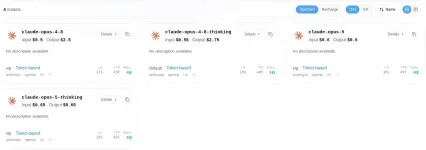
1787471969940.webp
1787471896206.webp
 

About this Thread

  • 0
    Replies
  • 47
    Views
  • 1
    Participants
Last reply from:
microscope

Trending Topics

Online now

Members online
1,207
Guests online
5,078
Total visitors
6,285

Forum statistics

Threads
2,312,114
Posts
29,166,347
Members
1,186,042
Latest member
ahmedbd02
Back
Top