 PH
PH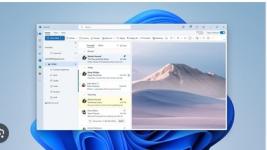
Microsoft Outlook 365 (new Outlook)
Published 7/2026
Created by Simon Sez IT
MP4 | Video: h264, 1920x1080 | Audio: AAC, 44.1 KHz, 2 Ch
Level: Beginner | Genre: eLearning | Language: English | Duration: 66 Lectures ( 4h 56m ) | Size: 4.4 GB
The Modern Professional's Guide to Smarter Email Management and Calendar Coordination
What you'll learn
 Navigate the modern layout and user interface of the new Microsoft Outlook. Configure multiple email accounts and shared mailboxes within a single application window. Filter your inbox efficiently using the Focused Inbox and custom mail views. Sort and categorize incoming messages using automated rules and quick actions. Locate specific emails instantly with advanced search and filtering. Schedule meetings and manage multiple calendars for seamless team coordination. Share your availability with colleagues to simplify booking group appointments. Create and organize digital contact lists to track key professional networks. Build tasks and notes to manage your daily professional workflow successfully. Adjust advanced backstage settings to customize your overall application performance.
Requirements
 Be familiar with sending and receiving emails. Have access to Microsoft Outlook 365 (New Outlook) on a Windows or Mac computer. Have an active Microsoft account or organizational email account configured for Outlook. Be able to connect to the internet for account setup, synchronization, and course activities.
Description
This course includes downloadable course instructor files and exercise files to work with and follow along.
Transform your daily communication and scheduling withMicrosoftOutlook 365 (New Outlook) in this training session and learn how to build an effective digital workspace from the ground up. This learning journey takes you through the modern interface, clever shortcuts, and advanced organization tools needed to conquer an overflowing inbox. You will start by exploring the brand-new layout and learning how to navigate emails, calendars, and contacts with absolute ease. The lessons guide you through sorting messages into clear categories, setting up automated rules, and utilizing quick actions to clean up clutter. Beyond simple messaging, you will discover how to customize your inbox views, share calendars for effortless meeting coordination, log daily tasks, and manage backstage options without leaving your main window.
By taking this training, you will gain highly valuable skills that reduce email stress and save you hours of administrative work each week. You will learn to draft clearer replies, track crucial follow-ups, and coordinate group schedules without the usual back-and-forth messaging. The material also provides you with techniques to protect your focus, handle meeting invites like a pro, search your archives efficiently, and keep your contact list up to date.
Instead of feeling overwhelmed by a constant stream of alerts, you will confidently control your communication flow. Real-world examples and practical exercises ensure you can apply these new habits to your job immediately, making you a highly organized, efficient team member. Say goodbye to missed deadlines and hello to a cleaner inbox, a more balanced workday, and a major boost to your professional productivity. You will have learnt the skills to make technology work for you, ensuring that important project updates and client messages never slip through the cracks again.
By the end of this course, you will be able to
 Navigate the modern layout and user interface of the new Microsoft Outlook. Configure multiple email accounts and shared mailboxes within a single application window. Filter your inbox efficiently using the Focused Inbox and custom mail views. Sort and categorize incoming messages using automated rules and quick actions. Locate specific emails instantly with advanced search and filtering. Schedule meetings and manage multiple calendars for seamless team coordination. Share your availability with colleagues to simplify booking group appointments. Create and organize digital contact lists to track key professional networks. Build tasks and notes to manage your daily professional workflow successfully. Adjust advanced backstage settings to customize your overall application performance.
This course includes
4 hours and 55 minutes of video tutorials63 individual video lecturesCourse and Exercise Files to follow alongCertificate of completionWho this course is for
 Professionals who want to organize their email, calendar, contacts, and tasks more efficiently. Office workers, administrative staff, and team coordinators who rely on Outlook for daily communication and scheduling. Remote and hybrid employees who need better tools for collaboration and meeting coordination. Managers and team leaders who regularly schedule meetings and manage multiple calendars. New Microsoft Outlook users looking for a structured introduction to the New Outlook interface and features. Existing Outlook users who want to transition from Classic Outlook and learn the latest tools and workflows available in Outlook 365.
Homepagelhttps://www.udemy.com/course/microsoft-outlook-365
lhttps://rapidgator.net/file/da42224e56b4011a25a3e6f157978411/Microsoft_Outlook_365_(New_Outlook).part4.rar.html
You do not have permission to view the full content of this post. Log in or register now.
You do not have permission to view the full content of this post. Log in or register now.
You do not have permission to view the full content of this post. Log in or register now.
You do not have permission to view the full content of this post. Log in or register now.