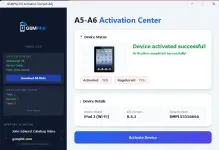
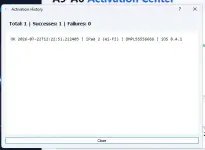
PH
PHHow to use?
1. MAINTENANCE
2. Plug your device to your PC and connect your device to the WIFI
3. Click Activate, you will be redirected to the Serial Number Registration
4. Wait for the approval (Usually takes 1-2minutes ONLY)
5. The tool will detect if its already registered. Once it says YES, click activate.
6. Just wait until its done.
Supported Models:
- iPhone 4S
- iPad 2 (Wi-Fi)
- iPad 2 (GSM)
- iPad 2 (CDMA)
- iPad 2 (Wi-Fi Rev A)
- iPad mini (1st Generation) Wi-Fi
- iPad mini (1st Generation) GSM
- iPad mini (1st Generation) Global/CDMA
- iPad (3rd Generation) Wi-Fi
- iPad (3rd Generation) CDMA
- iPad (3rd Generation) Global/GSM
- iPod touch (5th Generation)
- iPhone 5 (GSM)
- iPhone 5 (Global/CDMA)
- iPhone 5c (GSM)
- iPhone 5c (Global/CDMA)
- iPad (4th Generation) Wi-Fi
- iPad (4th Generation) GSM/LTE
- iPad (4th Generation) Global/CDMA/LTE