Daily Update Software mega Thread

  • Thread starter Thread starter jomla5
  • Start date Start date

jomla5

Established
2295a7902b695bd9924bfdc85825b1b0.jpg

Description: Pepakura Designer is a Windows application which makes unfolded patterns from 3D data. Pepakura Designer features to automatically unfold 3D polygon-mesh models, and allow you to edit them. Pepakura Designer allows you to create real paper craft models from digital data!

7212ea1d4085b2a0df1c405bd011ed66.jpg

You can try Pepakura Designer with no charge. (The data exporting feature is activated with purchase of the license keycode.) Note that Pepakura Designer does not have 3D data design features. You require 3D data before starting to use Pepakura Designer. Pepakura Designer supports common 3DCG file formats. Recommended 3DCG software is Metasequoia. You can use it for 3D model design at no charge. Pepakura Designer reads Metasequoia files with high compatibility.

One Button Unfolding
An unfolded 3D model pattern will be generated once you press the button.

Useful Toolset for Layout Editing
Pepakura Designer provides a simple and useful toolset for layout editing.
The Move, Rotate, and Join/Disjoin Parts editing tools, and the Adding Flaps support to arrange the layout.

Assemble Assistance
Pepakura Designer assists in the assembly process.
For example, ID numbers are assigned to edges, so you can understand the pairs of edges to be glued together. The positions of the pairs to be glued together are indicated by an arrow.

Exporting
Pepakura Designer supports the export in several file formats, including BMP, PNG, GIF, JPG, EPS, DXF, and PDF.

Texture Setting
By switching the textures on and off, you can assemble the color model or the white model, whichever you prefer.
You can also change the texture images on Pepakura Designer.

Operating System: Windows 8/10/11 (64bit)

Release Name: Pepakura Designer 6.3.0
Size: 18.5 MB
You do not have permission to view the full content of this post. Log in or register now.

You do not have permission to view the full content of this post. Log in or register now.

You do not have permission to view the full content of this post. Log in or register now.

4cb4f00df5e6a42111160b7cab490250.jpg

Description: Replace Your Windows Console and CMD Command Prompt Windows. The Windows Command Prompt shortcut is a Windows console (command line, or character mode) session that runs the default Windows command shell CMD.EXE.
d88ae4e8be8fd57ee72571fb68a4953f.jpg

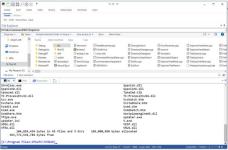
The command line is essential for developers, systems administrators and advanced users. Unfortunately, CMD Windows commands and the Windows console UI have always been woefully lacking in ability compared to what is available in most other operating systems. Because of the limitations in CMD and the Windows console, users have been forced to use the GUI for inappropriate tasks, or even to write custom programs to perform simple tasks that CMD should have been able to handle.

Take Command is a comprehensive interactive GUI and Windows command line toolkit that makes your command prompt windows easier to use and far more powerful. Take Command includes optional Windows Explorer integration, tabbed console windows, and major enhancements to standard Windows CMD commands such as COPY, DEL, DIR, FOR, MOVE, REN, SET, and START And it and adds more than 235 new commands, command dialogs, command line syntax coloring, vastly improved command line editing, programmable filename and directory tab completion, and thousands of other features.

Take Command is also a powerful batch file programming tool, including an integrated IDE with a sophisticated editor and batch debugger. Take Command offers extensions such as DO loops, SWITCH statements, error and exception handling, system monitoring and event triggers, and more than 780 built-in variables and functions. And you can extend that with 3rd-party plugins and user-defined functions.

12 Reasons Why You Should Replace Your Windows Console
The Windows console is responsible for running character-mode applications, including CMD, PowerShell, WSL bash, etc. It was introduced in Windows NT 3.1 in 1993, and some major internal architectural improvements were made in Windows 10 and 11.

Unfortunately, the improvements to the user interface were relatively minor, and though some efforts were made to improve the CMD console UI in Windows Terminal, they fall far short of what Take Command has been providing for years.

So why replace it with Take Command?

The Windows console is slow, and even slower when using Windows Terminal. Take Command's tab windows typically display output between 20% and 300% faster.
Take Command (like Windows Terminal) offers tabbed windows to run your character-mode applications. But Take Command takes it to another level by including vertical or horizontal tab groups and splitter windows.
Tabbed windows can be reordered, detached, or torn off, and existing console windows can be attached as new Take Command tab windows.
Take Command provides an optional embedded Windows File Explorer window that displays a tree view of the folders on your system and the contents of the selected folder (List View) on the right. You can drag folders and files from the Explorer window and drop them in a command prompt window.
Take Command can be easily configured for your preferences with its configuration dialogs.
Take Command has an optional tabbed tool bar that you can use to execute internal or external commands, aliases, or batch files with the click of a mouse (or an accelerator key). You can define up to 20 tabs, each with up to 50 toolbar buttons.
Take Command provides a configurable Status Bar that can display quick help for the current command, tooltips, and system information, including tab window size, CPU usage, memory usage, date & time, character values at the cursor location, and a slider control for window transparency.
Cut and Paste options are limited in the default CMD console or Windows Terminal. Take Command adds both line and column selection, double-click or triple-click selections, overwriting or appending to the Windows clipboard, and a variety of paste options.
Take Command windows can be styled with a choice of 18 themes.
Take Command and TCC offer a wide variety of colorization options, not just foreground and background colors.
Take Command includes invaluable tools, including a batch file debugging IDE, a regular E×ρréššion creator / analyzer, search and replace in files, and a macro recorder / playback.
Extensive help (quick help, context sensitive help, and general help) is available in English, French, German, and Spanish at the touch of a button.

Release Name: JP Software Take Command 36.51.77
Size: 59.8 MB

You do not have permission to view the full content of this post. Log in or register now.

You do not have permission to view the full content of this post. Log in or register now.

You do not have permission to view the full content of this post. Log in or register now.

41529bcadaa2b2431178d353ff891e22.jpg

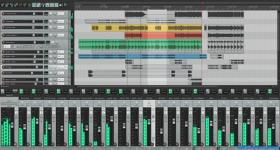
Description: Cockos REAPER is an effective but realistic home windows application that helps you to file, arrange, edit, and render multi-music waveform audio. REAPER Latest Version offers an intensive set of features but is a totally small and lightweight software (the installer is much less than 1 megabyte, and includes many outcomes and a pattern assignment). Reaper Review helps Asio, kernel streaming, wave out, and Direct Sound for playback and recording.
fe940dc83880311794b2bb148ad40c4d.jpg

Cockos REAPER Keygen 2021 is a complete digital audio production application for computers, offering a full multi track audio and MIDI recording, editing, processing, mixing and mastering toolset. Latest Cockos REAPER Serial Key supports a vast range of hardware, digital formats and plugins, and can be comprehensively extended, scripted and modified. Using Cockos REAPER Crack For Windows you can import any audio and MIDI, synthesize, sample, compose, arrange, edit, mix, and master songs or any other audio projects.

Download Cockos Reaper Activation Key Features:

  • You can very easily convert audio receivers and mic into an excellent music studio room.
  • Accounts Reaper Damaged can just operate on the Windows os.
  • Functions more effectively while utilizing Linux
  • Retains the software that is ideal history.
  • With power, features make it an uncommon item for the mass of the customers.
  • The idea of creating is offering help in composing.
  • The application provides a fast, cost preserving and long-lasting outcome with wonderful characteristics.
  • It is an essential option for export customers.
  • Outstanding device for just about all age consumers on the planet
  • In addition, for more info just click here.
  • For the newbies, it is greatest to select the products that are useful for performing.
  • Crack Reaper BitTorrent is one of the majorities of popular audio modifying applications.
Whats’s New In Cockos REAPER Crack Download
  • Access help repair
  • REAPER License Key free Several videos, chips correct memory errors
  • Promote Stem Drawing
  • Encouraged remarkable colours
  • Avoid fresh startup windows with the official name bar
  • Display toolbar when editing marker /loop/time choic
Cockos REAPER System Requirements:
  • Windows: XP/Vista/7/8/10 (32 or 64-bit)
  • Requires GTK+3 and ALSA.
  • GTK+2 supported with additional effort.
  • Supports x86_64, i686, and armv7l.
Release Name: Cockos REAPER 7.78
Size: 34.6 MB

You do not have permission to view the full content of this post. Log in or register now.

You do not have permission to view the full content of this post. Log in or register now.

You do not have permission to view the full content of this post. Log in or register now.

bac87d38e8b74daa9d200900a79b2916.jpg

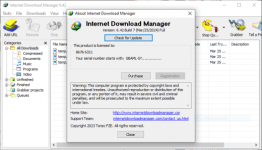
Description: Internet Download Manager has a smart download logic accelerator that features intelligent dynamic file segmentation and safe multipart downloading technology to accelerate your downloads. Unlike other download accelerators and managers that segment files before downloading starts, Internet Download Manager segments downloaded files dynamically during download process.
fbde8bd755de269408543193797362b6.png

Features
- All popular browsers and applications are supported!
Internet Download Manager has been tested with the following browsers: Internet Explorer, MSN Explorer, AOL, Netscape Communicator, Netscape 6, Netscape 7, Mozilla, Mozilla Firefox, Mozilla Firebird, Opera, NetCaptor, UltraBrowser, Slim Browser, Avant Browser, MyIE2, Optimal Desktop, Ace Explorer, Advanced Browser, 27 Tools-in-1 Wichio Browser, WindowSurfer, 550 Access Browser, FineBrowser Freeware, Kopassa Browser, Fast Browser Pro, Enigma Browser, GoSuRF, K-Meleon, Smart Explorer, The Off By One Web Browser, Smartalec Voyager, CrystalPort AppCapture, The Family Browser, XANA Web Browser, Bluto, AutoSurf, 32bit Web Browser, BrowseMan, WrestlingBrowser, Eminem Browser, UltraBrowser, Cygsoft LDAP Browser, and Net M@nager. Internet Download Manager supports all versions of popular browsers, and can be integrated into any 3rd party Internet applications.

- Easy downloading with one click.
When you click on a download link in a browser, IDM will take over the download and accelerate it. IDM supports HTTP, FTP, HTTPS and MMS protocols.

- Download Speed Acceleration.
Internet Download Manager can accelerate downloads by up to 5 times due to its intelligent dynamic file segmentation technology. Unlike other download managers and accelerators Internet Download Manager segments downloaded files dynamically during download process and reuses available connections without additional connect and login stages to achieve best acceleration performance.

- Download Resume.
Internet Download Manager will resume unfinished download from the place where they left off.

- YouTube grabber.
Internet Download Manager can grab FLV videos from popular sites like YouTube, MySpaceTV, and Google Video.

- Simple installation wizard.
Quick and easy installation program will make necessary settings for you, and check your connection at the end to ensure trouble free installation of Internet Download Manager

- Drag and Drop.
You may simply drag and drop links to IDM, and drag and drop downloaded files out of Internet Download Manager.

- Automatic Antivirus checking.
Antivirus checking makes your downloads free from viruses and trojans.

- Advanced Browser Integration.
When enabled, the feature can be used to catch any download from any application. None of download managers have this feature.

- Built-in Scheduler.
Internet Download Manager can connect to the Internet at a set time, download the files you want, disconnect, or shut down your computer when it's done.

- IDM includes web site spider and grabber.
IDM downloads all required files that are specified with filters from web sites, for example all pictures from a web site, or subsets of web sites, or complete web sites for offline browsing. It's possible to schedule multiple grabber projects to run them once at a specified time, stop them at a specified time, or run periodically to synchronize changes.

- IDM supports many types of proxy servers.
For example, IDM works with Microsoft ISA, and FTP proxy servers.

- IDM supports main authentication protocols
Basic, Negotiate, NTLM, and Keberos. Thus IDM can access many Internet and proxy servers using login name and password.

- Download All feature.
IDM can add all downloads linked to the current page. It's easy to download multiple files with this feature.

- Customizable Interface.
You may choose the order, and what buttons and columns appear on the main IDM window.

- Download Categories.
Internet Download Manager can be used to organize downloads automatically using defined download categories.

- Quick Update Feature.
Quick update may check for new versions of IDM and update IDM once per week.

- Download limits.
Progressive downloading with quotas feature. The feature is useful for connections that use some kind of fair access policy (or ćP) like Direcway, Direct PC, Hughes, etc.

- IDM is multilingual.
IDM is translated to Albanian, Arabic, Azerbaijan, Bosnian, Bulgarian, Chinese, Croatian, Czech, Danish, Dutch, Farsi, French, German, Greek, Hebrew, Hungarian, Italian, Japanese, Korean, Lithuanian, Macedonian, Norwegian, Polish, Portuguese, Romanian, Russian, Serbian, Slovak, Slovenian, Spanish, Thai, Turkish, and Uzbek languages.

Release Name: Internet Download Manager 6.43 Build 6
Size: 23.9 MB

You do not have permission to view the full content of this post. Log in or register now.

You do not have permission to view the full content of this post. Log in or register now.

You do not have permission to view the full content of this post. Log in or register now.
 
9a978c18eb7be487b38136d4c020ace3.jpg

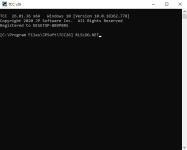
Description: TCC: Upgrading the Windows CMD Command Line Prompt. The command line is essential for developers, systems administrators and advanced users, offering many advantages to anyone wanting to save time, expand their control and/or to automate their tasks.

27476f177df5dadf54059cbc8fee5844.jpg

TCC is our console mode Windows command processor (formerly known as 4NT). TCC is a replacement for CMD.EXE, the default Windows command processor. TCC is compatible with your existing Windows console applications and batch files, but offers major improvements to the CMD prompt in command line editing, interactive file and system management, batch file programming and debugging.

TCC is a superset of CMD, with 275+ internal commands (CMD has about 42), 800+ internal variables and functions (CMD has 6), hundreds of additional options for existing CMD commands, and thousands of additional features.

Whether you're a seasoned CMD prompt user or just getting started, TCC is the tool that will take your command line prompt experience to the next level.

Why Switch From the CMD Shell to TCC?

Familiarity
TCC is a CMD replacement Windows command processor that is compatible with your existing CMD commands and batch files while adding hundreds of new commands, variables, and variable functions.

Productivity
TCC provides vastly improved line editing and tab file completion, and adds thousands of new features. You're immediately more productive, and you can learn TCC's new features at your own pace.

Batch Files
Create and debug your batch scripts in a fraction of the time with TCC's integrated editor and batch file debugger.

Comprehensive Help
The extensive help (including context-sensitive popup help for command and variable syntax) speeds your development time and reduces errors.

Syntax
TCC's internal commands share a consistent syntax, reducing your learning and development time.

Multilingual
The user interface is available in English, French, German, Italian, Russian, and Spanish. (Online help is available in English, French, German, and Spanish.)

Release Name: JP Software TCC 36.51.77
Size: 57.5 MB


You do not have permission to view the full content of this post. Log in or register now.

You do not have permission to view the full content of this post. Log in or register now.

You do not have permission to view the full content of this post. Log in or register now.
chris-pc-video-tube-downloader-pro.avif


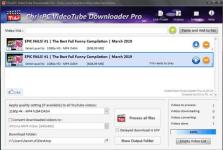
Description: A powerful software that allows you to download videos from BBC iPlayer, YouTube, Vimeo, Dailymotion, Metacafe, Viaplay & convert them to video formats compatible with iPad, iPhone, MPEG-4, MP3.

9fea2acc8ef3190da8f701d39faae92a.jpg

ChrisPC VideoTube Downloader is a powerful software with a friendly user interface that allows you to download videos and playlists from YouTube, videos from Dailymotion, BBC iPlayer, ITV Player, Viaplay, ABC, FOX, CBS.com, Vimeo, Prosieben, Metacafe, CBC.ca many more video websites. Once the videos are downloaded, you can convert them to formats compatible with iPad, iPhone, iPod, MPEG-4 H.264, MP3, AC3.

Version 14 comes with new features and improvements:
Added new advanced features Playlist Preview and Playlist History for YouTube videos, that lets you easily find the videos you want to download from a playlist.
The Playlist Preview loads all available videos from a playlist and lets you filter/search the list by name. You can also sort the list alphabetically, by duration or author.
Video selection can be made individually by clicking the checkboxes from 1st column or by batch using the SHIFT key and UP/DOWN arrow keys (or mouse) and pressing the SPACE key.
With Playlist History you can monitor new videos added to a playlist from previous versions or compare it with another list.
Added the option Set live recording end time (available for YouTube live streams and M3U8 streams, by pressing on the 3 dots menu of the video). It can be adjusted at any time during live recording.
Added the option Disable sleep mode while software is running, it will prevent your PC from entering in sleep mode (Settings->Advanced settings).
Link Finder Expert is a new powerful feature to be used when you can`t detect and download your video using copy/paste mode or with Link Finder engine.
Improved detection using Link Finder for videos from My5, Channel4, TVNow, TVNZ, threenow, UKTV Play, RTEPlayer, TG4, Atresplayer, NPOStart, 9Now, 7Plus, GlobalTV, CityTV, CTV, ******Player, TF1, Prosieben, 6play, TVAPlus, VRai, MediasetPlay, Kijk, Zee5 and many more.
Added the Advanced Mode to Link Finder engine, which lets you choose the browser type from a list of 25+ browser configurations, like Safari on iPhone, Edge on iPad, Chrome on Android and many more. This way, you can find different video streams (like M3U8, MPD, MP4 or MP3) for the same video content depending on the platform it is played on.
Added advanced settings where you can choose how many parts to be downloaded at same time for M3U8 and MPD DASH streams. If your Internet connection is fast you can download up to 10 parts simultaneous.
Improved download speed by up to 15x times for M3U8, MPD and F4M streams.
Added segmented download option to improve YouTube video download by up to 12x times.
Improved Link Finder engine detection of HTML 5 videos, M3U8, F4M, MPD, MP4, M4A, M4V, MP3 video and audio streams.
Video Download History keeps a log of all your downloads, helps you find downloaded videos by title, author, day of download.
Added the option to automatically select subtitle language to download for YouTube, ITV, BBC, CBS, ABC, NBC, FOX and others.
You can download videos up to 3 GB with the free version from the popular video websites: YouTube, Vimeo, DailyMotion, Metacafe.
Record live streams from YouTube, Livestream, Ustream, M3U8 HLS and F4M HDS streams.

Release Name: ChrisPC VideoTube Downloader Pro 15.26.0718
Size: 51 MB


You do not have permission to view the full content of this post. Log in or register now.

You do not have permission to view the full content of this post. Log in or register now.

You do not have permission to view the full content of this post. Log in or register now.

215817a346e10ebf5e4203ddc53515ce.png

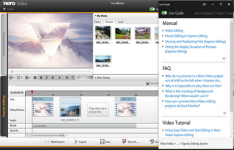
Description: Your complete solution for video editing: Motion tracking, multi-track editing in HD, 4K and 8K, AI-supported media management, support for portrait videos and powerful professional effects such as green screen and picture-in-picture. Customized to your needs - now you can also choose between light and dark mode.

708b5efb6361e5d5342e1c26e2ffb927.png

Manage
Bring your videos and image files from mobile devices, external hard drives, USB sticks, camcorders, and HD and 4K cameras to your computer with ease. Store them centrally in your media library from the Nero MediaHome software for further editing with a wealth of information such as the date of recording, locations, or people depicted. Now you can also archive and watch your movies and TV series in a flash. Film titles and posters are created automatically. New: Access your "OneDrive" online files (Files On Demand) and download your pictures, videos and music only when you need them for your project. This saves you a lot of storage space on your PC.

Create
Put your shots in the spotlight: 1-Click Video Story lets you create perfect movies and slideshows in no time. Complete with music, effects, entry and exit, you can share your movies in a flash. Captivate your audience with E×ρréšš or advanced video editing with countless effects like tilt shift, old movie, slow motion, titles, transitions, audio filters, keyframe animations and more. With the new 1-click bar remover, you'll be able to spruce up your photo and video footage and get it ready for the optimal big-screen movie experience.

Templates
Quickly and easily create professional videos: With over 1000 movie templates and other effects, you give your videos a very personal touch. With the new various movie templates including effect drop zone, they automatically create their own personal movies on topics such as family, celebrations, children, travel, action and more. Black bars in widescreen TV are now a thing of the past. Even vertical videos and photos from your smartphone can be easily imported as a vertical video, edited and perfectly staged thanks to vertical video templates.

Exporting and burning
Best movies for happy viewers: Nero Video software doesn't compromise on format selection either. Edit movies in the highest quality in 4K, Full HD, and SD. Even export individual scenes from long movies in one go. Add the finishing touches to your DVD Videos™ and Blu-ray Discs™ with numerous high-quality disc menus on many themes. Then design your disc covers to your taste with Nero CoverDesigner software and play your video disc professionally with menu and chapter selection on the DVD and Blu-ray player in your living room.

Streaming
Turn your living room into a cinema: The Nero Video software convinces with Oscar-worthy streaming functions. Slideshows or videos on the TV, music from your media library on your smartphone, videos on your tablet? All possible with the free app Nero Streaming Player. With the app WiFi Transfer, which is also free, you can transfer your videos and pictures wirelessly from your mobile device to your PC and vice versa. Both apps are available for iOS and Android devices.

Playback
Choose when it's primetime: morning, noon or night - play audio and video files in a variety of formats when you feel like it. Playing photos, elegant slideshows, video DVDs and 4K/Ultra HD videos is now even easier. You can also easily manage and play your archive of movies and TV shows, just like primetime.

System Requirements
  • Windows® 7 SP1 Home Premium, Professional or Ultimate (32/64 bit), Windows® 8 (32/64 bit), with April 2014 Update (32/64 bit), Windows® 10 (32/64 bit) , Windows® 11 (32/64 bit)
  • 2 GHz AMD or Intel® processor
  • 1 GB RAM
  • 5 GB hard drive space for a typical installation of all components (including templates, content and temporary disk space)
  • Microsoft ® DirectX ® 0 compliant graphics card
  • DVD disc drive for installation and playback
  • CD, DVD, or Blu-ray Disc recordable or rewritable drive for burning
  • WindowsMedia ® Player 9 or higher
  • Internet Explorer 11 and higher

Release Name: Nero Video 2026 v2.1.5
Size: 1.1 GB


You do not have permission to view the full content of this post. Log in or register now.

You do not have permission to view the full content of this post. Log in or register now.

You do not have permission to view the full content of this post. Log in or register now.
54aca8e65bcde8fef63f1ed7f12fff97.png

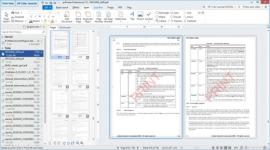
Description: priPrinter is a virtual printer and print preview program that prints your documents in the way you wish. With priPrinter you can view and modify real sheets of papers right on your screen without need to print. You are free to delete or rearrange pages, adjust margins, put many pages onto one paper, correct or redact text, apply watermarks. With few mouse clicks you can create booklets, posters, letterheads.

355423c787aab112c309bb735c0cab89.jpg

Finally you can print your job to real printer in single or double sided mode, save to PDF or image files. Print history is available and easy to use, allows to check or reprint previously printed documents. You can search all your documents for any word or phrase.

Every feature is beautifully designed, for instance: you can drag margins with mouse or type exact values, create new or use existing watermarks, view pages in classic one page mode or even in 3D. You can use priPrinter to save commonly used layouts and settings to profiles.

Preview your print job | Rearrange pages and jobs | Make it look absolutely perfect | Correct small mistakes | Save your time, your toner, and trees.

Highlights

Page Layout
Starting from original layout, with initial proportions to multiple pages per sheet (N-Up layout). Margins and gutters are adjustable, pages can be moved with mouse. Settings can be organized into profiles-themes.

3D Preview
This special mode not only looks cool but very helpful when it is difficult to imagine how your booklet or complex double sided document will look like. You will see how document can be flipped or stacked.

Watermarks
It's easy to create watermarks or text remarks with priPrinter. You may select the watermark from a predefined list, modify watermark after insertion and save it back to the list of watermarks. Macros are supported.

Crop & Cut
Apart from editing pages one by one, it is possible to remove margings, header and footers with crop tool. It's much easier to put more content onto one piece of paper.

PDF
It's easy to create PDF document or send it by email using priPrinter Professional edition. Just print your document to priPrinter, assure yourself that everything is correct and in one click create your PDF file.

Text Corrections
With build-in text editor you are free to apply final changes to your documents even in case you can't do it in your main application. Of course it's possible to highlight text or change font attributes.

Release Name: priPrinter Professional / Server 7.0.1.2628
Size: 12.6 MB

You do not have permission to view the full content of this post. Log in or register now.

You do not have permission to view the full content of this post. Log in or register now.

You do not have permission to view the full content of this post. Log in or register now.
0410ca9f16b167db7fcbd9bcd0d0c18f.jpg

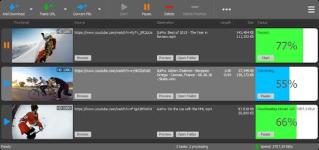
Description: YT Downloader (ex YTD Youtube Downloader) is a simple and easy-to-use video download application. It helps you to download and convert videos from YouTube and hundreds of other video sites. YT Downloader increases your download speeds by up to 500%.

30bbf4ae924f667768bd2548c1b0798b.jpg

Features
YT Downloader is the easiest and the fastest way to download and convert videos from YouTube and other video sites.

Download videos from YouTube and hundreds of video sites
YT Downloader can download videos from YouTube, Facebook, Dailymotion, Vimeo, Metacafe, and hundreds of other video sites. After downloading your video files, you'll be able to watch them smoothly using any media player, even if you don't have internet access.

Accelerate your downloads
YT Downloader features an advanced download acceleration engine that lets you download videos 500% faster than normal speed.

Download 4K, 2K, HD 1080p and 720p videos from YouTube
You can also download 3D videos from YouTube if they are available.

YouTube to MP3
YT Downloader allows you to download only audio stream from YouTube, and save it as MP3. You don't need to download the entire video file. The audio stream is small, you can download it within seconds.

Download whole playlist from YouTube
Just enter a YouTube playlist ID, YT Downloader will download all or selected videos in the playlist from YouTube for you.

Support drag-and-drop
You can directly drag and drop video link from your browser to the drop box or program window to start a download. You don't even need to copy and paste video URL.

Download multiple videos at a time
YT Downloader supports simultaneous downloads. It allows you to download more than one video at same time and safe time.

Pause and resume downloads
You can pause, resume, or cancel your downloads if you need more connection to perform other important tasks.

Preview videos while downloading
While downloading, you can click the Preview button to play incomplete video and make sure the content you are downloading is really the content of your choice.

Video and audio converter
YT Downloader is also a powerful video/audio converter. It can convert local video/audio files to any format you wish so that they are playable everywhere.

Video to MP3
YT Downloader allows you to extract audio streams from videos and save them as mp3, wav, wma, ac3, ringtone, or other audio format.

Support all popular video and audio formats
YT Downloader allows you to save downloaded videos in any format for any device, so you can watch them smoothly on your PC, iPhone, iPad, Android phone, and other device.

Ready-made presets
YT Downloader provides ready-made presets for all video and audio formats. You can also custom output video/audio format settings.

iTunes compatible
Optionally, YT Downloader can add downloaded video/music to your iTunes library automatically, so you can easily synchronize your videos and music to your iPhone, iPad, iPod.

Media Player
YT Downloader includes a simple and easy-to-use media player. If your Windows Media Player cannot play your video/audio files, you may try our Media Player.

Release Name: YT Downloader 10.6.10
Size: 157.5 MB


You do not have permission to view the full content of this post. Log in or register now.
You do not have permission to view the full content of this post. Log in or register now.
You do not have permission to view the full content of this post. Log in or register now.

OFzVW.jpg

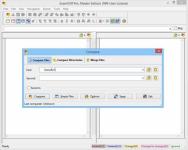
Description: ExamDiff Pro is a powerful yet intuitive and easy to use visual file and directory comparison tool for Windows. It features unique functionality that distinguishes ExamDiff Pro from other comparison programs. If you’ve been frustrated with other comparison utilities, you will find that ExamDiff Pro offers a much more efficient and user-friendly way to compare files and folders.

clP7GjR1h.jpg

Features:

  • Compares text files, binary files, and directories.
  • Performs two-way and three-way diff and merge.
  • Highlights differences down to the level of lines, words or characters.
  • Highlights document syntax.
  • Fuzzy line matching.
  • Ability to recognize moved text blocks.
  • Automated directory synchronization.
  • Line Inspector panel for easy recognition of differences within lines.
  • Can perform full file comparison in a background task in directory comparison.
  • Ability to add manual synchronization points to text file comparison.
  • Compares directly from Windows Explorer.
  • Allows file editing within file comparison panes.
  • Allows copying, renaming, and deleting files or directories.
  • Saves the file differences in a standard UNIX DIFF file or to a dynamic HTML web page.
  • Prints and print previews diff reports.
  • Easy navigation through the differences.
  • Advanced Search features.
  • Drag and drop support.
  • Advanced Ignore options, for ignoring capitalization, white space, programming-language comments, and more.
  • Word wrapping.
  • Plug-in support.
  • Drag and drop support.
  • Can create directory snapshots for later comparison.
  • Includes full Unicode support.
  • Fully customizable.
Release Name: ExamDiff 17.0.1.7
Size: 46.6 MB


You do not have permission to view the full content of this post. Log in or register now.
You do not have permission to view the full content of this post. Log in or register now.

You do not have permission to view the full content of this post. Log in or register now.


You do not have permission to view the full content of this post. Log in or register now.
 
7ce95c422f20b2d165c3b31035055a8c.jpg

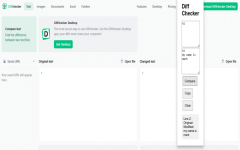
Description: Discover the power of offline security. Safely compare text, images, and files offline — on Windows.

0b4a384fe56faaadbc795df8ecfe76ba.png

Discover the power of offline security. Safely compare text, images, and files offline — on Windows.

Release Name: Diffchecker 7.1.9
Size: 160.3 MB


3529f4e4ae005c3066b728b908998d72.png

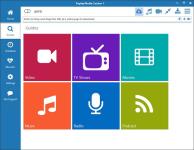
Description: The most powerful, convenient online video downloader in the world. And it supports audio/MP3 download or recording too.

ddd36170cfcd62ec2a5a76a807a42577.jpg

Easy to use.
Just play an online video, movie, or song, and a copy is downloaded to your PC. That's it! The built-in media guide contains thousands of options to help you find the content you want.

Convert more formats.
Our web video downloader supports more website media protocols and converts to over 130 device and video file formats.

Powerful audio downloader.
For music lovers, you can record and convert audio from ANY website or source at high quality.

Smart Video/MP3 Naming.
Automatically names video files, and identifies and tags recorded MP3 music files. Amazing!

Super Fast.
Advanced downloading technology captures videos and MP3 files at up to 10x playback speed.

Phone and tablet support.
Integrates with iTunes, DropBox, Google Drive or SkyDrive for automatically copying files to your Apple or Android mobile devices or tablet.

Release Name: Replay Media Catcher 2026.7.17.35
Size: 97.9 MB

You do not have permission to view the full content of this post. Log in or register now.
You do not have permission to view the full content of this post. Log in or register now.

You do not have permission to view the full content of this post. Log in or register now.
Ractz.jpg

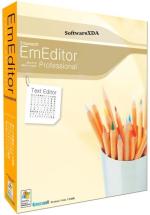
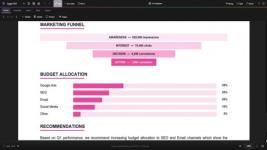
Description: EmEditor is a fast, lightweight, yet extensible, easy-to-use text editor, code editor, CSV editor, and large file viewer for Windows. Both native 64-bit and 32-bit builds are available, and moreover, the 64-bit includes separate builds for SSE2 (128-bit), AVX-2 (256-bit), and AVX-512 (512-bit) instruction sets.

elNEd5.png

The text editor supports powerful macros, Unicode, CSV, and very large files. Emurasoft’s timeless mission is to achieve our clients’ needs and wants by listening to them with empathy and expertise. We value timely customer support, and are honored to have distinguished users, including major corporations, educational institutions, institutions of the European Union, ministries of Japan, and governments from all over the world.

Release Name: Emurasoft EmEditor Professional 26.2.2
Size: 109.2 MB


You do not have permission to view the full content of this post. Log in or register now.

You do not have permission to view the full content of this post. Log in or register now.

You do not have permission to view the full content of this post. Log in or register now.


ca420d4e13b1d65c965dc9a5ca852a41.png

Description: The complete PDF toolkit. View, annotate, merge, split, encrypt, sign, and create PDFs with 20+ templates. Built-in AI assistant and OCR text recognition. Fill forms, add watermarks, convert to images, and more — all in a sleek dark interface.

5bb4394510f061a626b1b3970f12e0e9.jpg

Key Features

  • PDF Viewer
    Fast, high-quality PDF rendering with smooth scrolling, zoom controls, page navigation, and a modern dark-themed interface.
  • Annotations & Markup
    Highlight text, add sticky notes, draw freehand, insert text boxes, and use shapes like rectangles, circles, arrows, and lines.
  • Merge PDFs
    Combine multiple PDF files into a single document. Drag and drop files to merge contracts, reports, and presentations effortlessly.
  • Split PDFs
    Extract specific pages or split a large PDF into smaller files. Select page ranges or split by every N pages for easy sharing.
  • Encrypt & Protect
    Password-protect your PDFs with AES encryption. Set document permissions to control printing, editing, and copying of sensitive content.
  • Digital Signatures
    Draw, type, or upload your signature and place it anywhere on the document. Sign contracts, forms, and agreements instantly.
  • Create PDFs
    Create new blank PDF documents in A4, Letter, Legal, or custom sizes with portrait and landscape orientation. Start from scratch or from templates.
  • 20+ Templates
    Choose from over 20 professionally designed templates including invoices, contracts, reports, letters, resumes, and business forms.
  • AI Assistant
    Built-in AI assistant to summarize documents, extract key information, answer questions about your PDF content, and generate text.
  • OCR Text Recognition
    Extract text from scanned documents and images using optical character recognition. Convert image-based PDFs into searchable, selectable text.
  • Page Management
    Thumbnail sidebar for quick navigation. Reorder, insert, delete, and rotate pages. Extract single pages or ranges with full control.
  • Images & Stamps
    Insert images, logos, and custom stamps onto any page. Add watermarks and overlay content for professional document branding.
  • Convert & Export
    Export PDF pages as high-quality images (PNG, JPEG). Convert documents between formats for compatibility with any workflow.
  • Form Filling
    Fill out interactive PDF forms with text fields, checkboxes, and dropdowns. Complete tax forms, applications, and surveys digitally.
  • Search & Find
    Instantly search for text across your entire document. Find and navigate to specific words, phrases, or content with keyboard shortcuts.
  • Print & Batch Print
    Print PDFs with full control over page range, scaling, orientation, and paper size. Batch print multiple documents in one go.
  • Bookmarks & Links
    Add, edit, and navigate bookmarks for quick access to sections. Insert hyperlinks to URLs or internal pages within your document.
  • Side-by-Side Compare
    Open and compare two PDF documents side by side. Review changes, verify revisions, and cross-reference content simultaneously.
  • Dark Mode Interface
    Modern dark-themed UI designed to reduce eye strain during long editing sessions. Clean, distraction-free workspace for maximum productivity.
Release Name: Eagle PDF Editor 1.5.2
Size: 634.3 MB
You do not have permission to view the full content of this post. Log in or register now.
You do not have permission to view the full content of this post. Log in or register now.

You do not have permission to view the full content of this post. Log in or register now.

58e820f89d029ab14f33cb1bdb63379e.jpg

Description: Access Full Desktop Environments. Experience superior performance when accessing your remote host’s full desktop environment with Xmanager (PC X Server). Seamlessly switch from working on Windows to any UNIX/Linux environment.

58e820f89d029ab14f33cb1bdb63379e.jpg

Access Individual Remote Applications
Use Xstart sessions to quickly launch remote X applications via SSH X11 forwarding and run them side by side with your Windows applications.

Dynamic Remote Host Search
Automatically see available hosts and connect with a simply point-and-click. No need to set up individual sessions for each server.

Extensive Protocol Support & Session Management
Xmanager supports XDMCP, SecureXDMCP (SSH), VNC, RDP, and SSH for all of your remote GUI needs. Easily create, edit, and launch sessions from the main window using Xmanager’s Session Manager.

Release Name: NetSarang Xmanager Power Suite 8.0.0020
Size: 186.4 MB


You do not have permission to view the full content of this post. Log in or register now.

You do not have permission to view the full content of this post. Log in or register now.
You do not have permission to view the full content of this post. Log in or register now.

f8a3e43bd1ebfd68d48e804537ab0f67.png

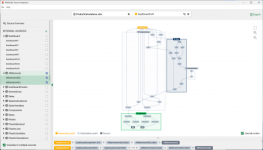
Description: PerfectXL Source Inspector - Excel Source Detection Tool. PerfectXL Products - You need to be in control. Your Excel models deserve the best tools available. It’s your decision to make Excel Perfect! Take the next step with PerfectXL. Many went before.

bf7dd846347171a41f40aa6806e6f4df.png

Why PerfectXL?
Take the next step with PerfectXL. Many went before.

We are your trusted Excel partner
Whether you check, manage or create Excel files yourself: the need for insight and certainty is universal. From risk detection to automatic compare reports, we’ve got you covered when it comes to spreadsheet reliability and efficiency. Discover how PerfectXL can help you.

Insurance & Pension Funds
Choose reliable spreadsheets

Audit, Tax & Advisory
Check Excel files quickly and efficiently.

Reviewers & Control teams
Start every Excel model with a head start.

Excel & Finance Professionals
Get a grip on Excel, even while building.

System Requirements
Windows 7, 8.1, 10, 11 (64-bit)

Release Name: PerfectXL Source Inspector 1.0.2
Size: 119.2 MB


You do not have permission to view the full content of this post. Log in or register now.
You do not have permission to view the full content of this post. Log in or register now.

You do not have permission to view the full content of this post. Log in or register now.

db7aca91d616ab9a5d6805f603ab115d.jpg

Description: VectorStyler brings every advanced vector and illustration tool together — in one complete, independent package, with no subscriptions and no compromises. Packed with powerful, unique tools you won’t find anywhere else — VectorStyler redefines what’s possible in vector illustration.

5529ba3beccdc1a02cd8ac539d96df02.jpg

Customizable User Experience
Customize all aspects of the user interface and workflow, including shortcuts, menus, toolboxes and toolbars. Create and save your own workspace profiles.

Native Illustrator Import
Open, import or paste artwork from Adobe Illustrator using the native Illustrator file format support, retaining all high-level editable attributes.

Extended Compatibility
Import artwork and export to various common file formats like AI, PDF, SVG, DWG, DXF, PSD, PNG and TIFF. Import and export PSD files while retaining layer hierarchy and keeping editable vectors.

Powerful Snapping Options
Use advanced snapping options for precision, including rotated grids and guidelines, collision and tangent to shape snapping. Turn any object shape into a guideline.

Real Vector Brushes
Paint with and use real vector brushes on any shape or outline. Brushes can be of artistic, pattern, scatter or bristle type. Create new brush styles or presets from any group or layer.

Select Objects by Attribute
Select objects by style or other attributes. Select objects with a similar style or attribute as the selected objects.

Magic Wand Tool
Use the magic wand selection mode and the Magic Wand panel to select objects similar to the pointed object. Select similar shapes by area or length.

Color Palettes
Work with document and global color palettes easily. Open multiple color palettes from external formats. Manage palettes seamlessly.

Advanced Halftones
Create complex vector halftones on layers or images. Work multiple halftones on one object using the Appearance panel

Align Object on Path
Create non-destructive object alignment on path. Align and distribute multiple objects on a path

Vector Drop Shadow
Create vector drop shadow effects on objects or groups. Adjust the drop shadow options using the Drop Shadow panel.

Parametric Shapes
Draw with a large collection of parametric shapes. Adjust shape properties using the Shape panel. Use the Node tool to edit parametric shapes.

System Requirements
  • VectorStyler is (also) a native Windows (Intel) application, and requires a PC with Windows 10 installed to run. A minimum of 8GB of system memory is recommended. More memory helps when creating complex designs or illustrations.
  • Only Windows 10 or newer versions are supported. An Intel Core i5 or i7 processor with 4 cores and hyper-threading is recommended as VectorStyler makes extensive use of multiple threads. GPU acceleration can be enabled in the Settings / Performance by selecting OpenCL (any GPU supported by Windows), or the NVIDIA mode for Nvidia GPUs.

Release Name: VectorStyler 1.3.021
Size: 112 MB

You do not have permission to view the full content of this post. Log in or register now.

You do not have permission to view the full content of this post. Log in or register now.

You do not have permission to view the full content of this post. Log in or register now.

88f45f7cdcbf26b60f45f0f81e56b063.jpg

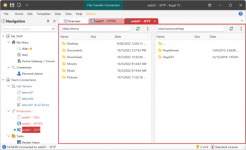
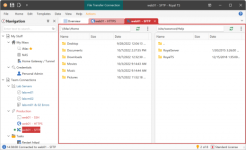
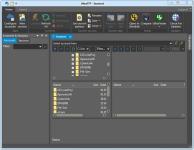
Description: UltraFTP is a personal, stand-alone FTP client built upon the framework of other IDM applications like UltraEdit and UltraCompare. Designed with maximum usability and performance in mind, UltraFTP offers full theme support, session support, an explorer interface, drag-and-drop transfers, and more.

b7002a8c41dfc7f280f6766f66617f78.jpg

Even better, UltraFTP integrates with UltraEdit/UEStudio, UltraCompare, and UltraFinder to provide a seamless editing and publishing experience both on local and remote systems. UltraFTP supports FTP, SFTP, and FTPS protocols.

Threaded transfers for max speed
UltraFTP’s threaded transfer architecture is designed to perform 25% faster than industry average—even on large batches of files.

Sync local and FTP folders
Folder sync is a simple and fast way to sync a local folder to an FTP folder.
Set your sync rules, review sync actions, change sync actions on a per-file basis. Launch and let UltraFTP do the rest. Uploading and downloading will begin according to your sync rules.

Synchronized folder browsing
With synced browsing, UltraFTP automatically follows your local or remote navigation in the other pane. This is a very helpful feature if you’re working with the same folder structure on both your local system and FTP server.

Preview remote files
Preview source files or images on remote servers without downloading. UltraFTP’s integrated File Preview allows you to see your local and remote files without having to open them externally.

Configurable sessions and options
Set overwrite rules, configure double-click behavior, set whether to open files in UltraEdit or UEStudio, set your local and remote start paths…and more. Save your most-used FTP sessions for later use, restoring its settings and properties.

UE, UES, UC integration
UltraFTP integrates seamlessly with other UltraEdit applications. Launch a compare of two or three files or folders in UltraCompare. Edit an FTP file directly in UltraEdit or UEStudio. And best of all, with shared FTP accounts, your FTP sites are accessible in all your UltraEdit applications.

Flexible layout
Maximize your screen space with layout options. Go remote only or widescreen mode. Drag-and-drop files to upload them from the file explorer into the remote pane.

Release Name: IDM UltraFTP 25.0.0.14
Size: 57.5 MB


You do not have permission to view the full content of this post. Log in or register now.
You do not have permission to view the full content of this post. Log in or register now.

You do not have permission to view the full content of this post. Log in or register now.


4448309cf707eec212b7a0332b3f38bd.jpg

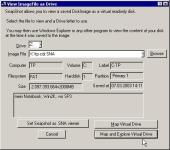
Description: Drive Snapshot creates an exact Disk Image of your system into a file, including the operating system, installed programs, your data and all security attributes - while windows is running and you continue to work.

970bd7267289b806468ee0add77041f4.jpg

Create Disk Image Backups, While Running Windows
The Backup process will back up all your data into a single file, containing all data, including system data and registry, for total security, should your computer ever crash. There is no restart (to DOS) necessary. Ever.

Continue your work, while the Backup is in progress
The new Snapshot technology ensures that all data are consistent, and reflect the PC's data at the start of backup.
There are no difficulties with opened files. Ever. This enables a very fast and easy way to back up servers and other computers, that must run 24 hours a day.

Easy Use and Restore of single Files or directories
Drive Snapshot creates a virtual drive, containing all your drive's data.
You may use, compare, or restore these files directly from the Disk Image file.
This works with any program of your choice, including (of course) the Windows Explorer

Complete Restore of a disk in case of Disaster
If a disk is restored to its original state, it will be exactly the same as at the time of Backup - byte for byte.
Restoring a system partition will require DOS; other drives can be restored using Windows

Compatible with all Windows file systems (FAT16, FAT32, NTFS,ReFS)
Supports Linux EXT2/3/4/Reiser/XFS

Compatible with all Windows RAID Methods

Very easy and comprehensive command line interface
This makes automation of regular tasks a breeze.

System requirements:
Windows 2000, XP, Vista, 7, 8, 8.1, 10, 11, 2003 Server, 2008, 2008 R2, 2012, 2016, 2019, 2022, PE, Windows-X64
3 MB disk space + space to save the disk images.
32MB RAM if active, 0 MB if not active.
You need administrative rights to execute Drive Snapshot

Release Name: Drive SnapShot 1.51.0.1815 + WinPE
Size: 474.8 MB


You do not have permission to view the full content of this post. Log in or register now.

You do not have permission to view the full content of this post. Log in or register now.
You do not have permission to view the full content of this post. Log in or register now.
e1c78b21343f485d9d298c87b807e850.jpg

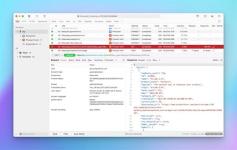
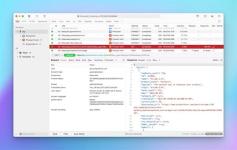
Description: Explorer-like management for queues. Works with multiple queuing systems. QueueExplorer supports multiple systems from the same installation, without need for additional licensing: MSMQ, Azure Service Bus, RabbitMQ, and ActiveMQ. With QueueExplorer you can do much more than with built-in management console - copy, move or delete messages, save and load, stress test, view and edit full message bodies (with support for XML, JSON, .Net objects...), and much more. QueueExplorer is a fast, native Windows application.

e1c78b21343f485d9d298c87b807e850.jpg

The indispensable tool for working with queues and messages:
understand and manage your system
figure out what went wrong
fix it

Find out all about your messages
With QueueExplorer you can dig into your queues and see which message went where, whether they were correctly formatted, with correct headers and settings, etc. Multiple viewers are at your disposal: JSON, XML, WCF, Hex, text with different encodings...

Develop and test producers and consumers separately
With QueueExplorer you can test individual pieces of your solution, or even simulate third party messages going in or out. You can create and edit test messages, send one by one or bunch of them together.

Test performance and load handling of your app
Send thousands of messages for performance testing to see how system handles that load.

Troubleshoot, fix, and resend problematic messages
If something is wrong, QueueExplorer is the fastest and easiest way to investigate and fix incorrect, poison, or failed/deadletter messages.

See status of your system at glance
Check if some of queues are growing too large, if there are messages in deadletter queues, etc. With autorefresh functionality see how entire system works in near real time.

Filter and sort messages to quickly find important data
QueueExplorer allows you to quickly find messages you're interested in. Professional edition allows you to even extract your business data from within messages using XPath, JSON, or Regex, and to immediately see e.g. invoice totals, etc.

Backup and restore messages
Backup messages to files, or move/copy them to another queue.

Copy, compare and sync queues, topics and other schema (metadata) objects
This can be used to migrate queues (and other objects) to another server, e.g. to propagate from development to production. Or just to compare and see which changes were made. Or to backup schema before changes are made. You can also duplicate queues with all their settings on the same server (Professional).

Release Name: QueueExplorer Professional 5.0.90
Size: 36.2 MB

You do not have permission to view the full content of this post. Log in or register now.

You do not have permission to view the full content of this post. Log in or register now.
You do not have permission to view the full content of this post. Log in or register now.
 
9c8c316a487ffad70b3618b62d4b2a49.jpg

Description: Bandizip is a powerful archiver that provides an ultrafast processing speed and convenient features. It is available for free, and the ρáíd editions offers a variety of advanced features.

8a8da0ba8786a5fba8baa666aa3c4b53.webp

Compression
Multi-volume & high-capacity compression
High-speed compression using a multi-core processor
Compress files in the 10+formats (ZIP, 7Z, EXE, ISO, etc.)

Decompression
Quick and easy file extraction
Show the list of files inside an archive
Decompress files in the 40+formats (ZIP, 7Z, RAR, etc.)

User Convenience
Smart file extraction
Right-click menus for fast access
Editing of files inside an archive
Multi-language support

Safety & Security
Test integrity of an archive
Antimalware scan on an archive
AES-256 encryption algorithm

Exclusive features provided by Professional Edition

Password Manager
Help to manage and enter frequently used passwords for handling archives

Repair Archive
Analyze a corrupted ZIP archive and collect uncorrupted data as much as possible

Password Recovery
Recover an archive’s password with ultrafast speed by optimized brute-force search

Image Preview in Archive
View thumbnails of images in an archive without decompression

Antimalware Scan on Archive
Detect malware in an archive by safe and accurate antimalware scan

Basic features for all users
Supported formats
ZIP, 7Z(lzma2), ZIPX(xz), EXE(sfx), TAR, TGZ, LZH(lh7), ISO(joliet), GZ, XZ
Multi-volume compression (for email attachments)
High-capacity compression (larger than 4GB)
Faster compression using a multi-core processor (6 times max)
Password settings for your archive
AES256 encryption algorithm

Supported formats
7Z, ACE, AES, ALZ, ARJ, BH, BIN, BR, BZ, BZ2, CAB, Compound(MSI), DAA(1.0), DEB, EGG, GZ, IMG, ISO, ISZ, LHA, LZ, LZH, LZMA, PMA, RAR, RAR5, SFX(EXE), TAR, TBZ/TBZ2, TGZ, TLZ, TXZ, UDF, WIM, XPI, XZ, Z, ZIP, ZIPX, ZPAQ, PEA, UU, UUE, XXE, ASAR, ZSTD, NSIS, LZ4
Show the list of files inside an archive
Use drag & drop to extract the selected files from an archive
View file comments of ZIP & RAR archives
One-step file extraction from TGZ & TBZ archives

Others
Modify an archive without decompression
Test integrity of an archive
Codepage settings & auto-detection
Right-click menus on File Explorer

Release Name: Bandizip 7.45
Size: 23.2 MB


You do not have permission to view the full content of this post. Log in or register now.

You do not have permission to view the full content of this post. Log in or register now.
You do not have permission to view the full content of this post. Log in or register now.
0d7babf58b9891b0e785a9139660086c.png

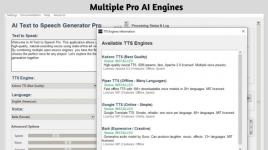
Description: Transform your written words into ultra-realistic, human-like audio with AI Text To Speech Generator Pro. Whether you are a content creator making video voiceovers, a student listening to study notes, or an author creating audiobooks, this powerful desktop utility provides professional-grade speech synthesis without the expensive monthly subscriptions.

4c6d4af305718dfc35ea785c95006ae7.jpg

Unlike cloud-based alternatives, AI Text To Speech Generator Pro runs state-of-the-art neural network models directly on your PC. This guarantees 100% privacy, zero data collection, and the ability to generate unlimited audio completely offline!

REVOLUTIONARY AI ENGINES INCLUDED
  • Kokoro TTS: The industry-leading model for broadcast-quality, ultra-realistic human voices.
  • Piper TTS: Fast, offline speech generation supporting over 30+ languages and dozens of distinct accents.
  • Bark (by Suno): A highly E×ρréššive and creative AI that can generate natural voice inflections, hesitations, sighs, and even laughs.
  • Google TTS (gTTS): A lightweight, reliable online fallback for simple translation reading.

CORE FEATURES
  • Total Control: Fine-tune the speed (-50% to +100%), adjust voice pitch, and boost output volume to get the perfect take.
  • Long-Form Audio: Paste entire articles or book chapters. The app automatically chunks long text to prevent memory crashes and seamlessly stitches the final audio together.
  • Export Options: Save your generated speech locally as high-quality WAV or MP3 files.
  • Built-In Studio: Preview voices using the Voice Browser and listen to your generated tracks instantly with the built-in media player.
  • Complete Privacy: Your text is never uploaded to the cloud (when using offline models). Keep your proprietary scripts and personal documents safe.

Stop paying per-character for AI voiceovers. Unlock the power of local AI and generate unlimited, natural-sounding speech today with AI Text To Speech Generator Pro!

System Requirements
  • OS: Windows 10 version 17763.0 or higher
  • Memory: 4 GB (Minimum), 8 GB (Recommended)
  • Processor: x64 Dual-Core Processor (Minimum), Quad-Core Processor or better (Recommended)

Release Name: AI Text to Speech v1.0.15 Pre-Cracked
Size: 686 MB
You do not have permission to view the full content of this post. Log in or register now.
You do not have permission to view the full content of this post. Log in or register now.

You do not have permission to view the full content of this post. Log in or register now.

c55e4952df818c6df14f326fa49a2dc2.jpg

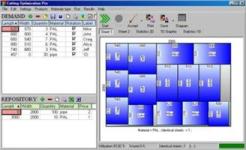
Description: Your books, beautifully organized. Obsidian Reader allows you to read EPUBs and PDFs with no ads, no online connection, and complete privacy. Manage your library with folder synchronization, editable metadata, and enjoy a modern, customizable interface for the best reading experience.

c55e4952df818c6df14f326fa49a2dc2.jpg

Everything you need for a great read.
Designed with simplicity and speed in mind, allowing you to focus purely on your content.

Private & Offline
Fully private and 100% offline. Read your EPUB and PDF books locally with absolutely no ads to distract you.

Manage Your Library
View all your books in an organized grid or list. Sync your book folders and edit titles, authors, and cover images.

Highly Customizable
Change font, text size, padding, line space, and word spacing. Choose from themes including true black mode.

Sleek Interface
A sleek, modern interface free from distractions, giving you the best environment to focus purely on reading.

Save Bookmarks
Easily save bookmarks in your books so you can always pick right back up exactly where you left off.

Blazing Fast
Built to be lightweight and fast. Massive EPUBs and PDFs load instantly so you never have to wait.

Release Name: Obsidian Ebook Reader Premium v2.1.2 Pre-Cracked
Size: 143 MB


You do not have permission to view the full content of this post. Log in or register now.
You do not have permission to view the full content of this post. Log in or register now.

You do not have permission to view the full content of this post. Log in or register now.

 

Similar threads

About this Thread

  • 3
    Replies
  • 40
    Views
  • 1
    Participants
Last reply from:
jomla5

Trending Topics

Online now

Members online
1,155
Guests online
1,652
Total visitors
2,807

Forum statistics

Threads
2,292,230
Posts
29,075,408
Members
1,210,222
Latest member
Luffytaru
Back
Top