PH
PH
Gumagamit ka ba ng Cursor AI para sa pag develop ng software pero wala kang budget para i maintain yung pag gamit nito?
Ito para sayo!
Note: IF gumagamit ka na ng cursor AI, hindi ko na kailangan i turo kung paano i install and gamitin itong tool.
So what is Cursor AI? Cursor AI is an AI-powered code editor and development environment designed to help programmers write, understand, debug, and refactor code faster. It started as a fork of Microsoft's VS Code, so if you've used VS Code before, Cursor will feel very familiar, but with AI deeply integrated into the editor.
Yes. Cursor has usage limits, but they depend on which plan you're on.
- Free plan
- Includes a limited number of premium AI requests each month.
- After you reach the limit, some AI features may become unavailable or switch to a slower/basic model until your quota resets.
- Pro plan(ρáíd)
- Provides a much larger monthly allowance of premium AI requests.
- Access to more advanced AI models and higher usage limits.
- Better suited if you code daily or work on large projects.
- Business plan
- Designed for teams, with higher limits and administrative features.
Trick to bypass the account's free trial limit:
So let's assume you've reached your limit and you can't use your Cursor AI free trial anymore, here's what to do:
1. Sign out of your Cursor AI account from the installed Cursor application.
2. Go to: You do not have permission to view the full content of this post. Log in or register now. > Sign in your account > Settings > Delete Account > Confirm.
3. Once deleted, create an account again using the same account details you used. (Gmail, Github, Apple or Email).
4. Login your account again to Cursor AI and that's it! That's how you bypassed the Cursor AI's free trial limit.
Note: In some cases, Cursor AI prevents the use of multiple accounts on the same device to stop users from bypassing the free trial limitations. If this happens, you'll need to apply the workaround described below.
Note: If you receive a message stating that you can't use the tool because of the one account per machine policy, there's no need to log out of your account.
This restriction is tied to your device's Machine ID, not your account.
Here's a guide on how to bypass the one account per device policy:
1. Close the Cursor AI, don't logout your account, just close the tool.
2. Go to this link: You do not have permission to view the full content of this post. Log in or register now.
3. Install the tool accordingly.
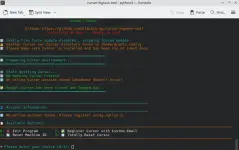
4. Run the tool and then Choose 1 to reset the Machine ID.
(Note: Your device's Machine ID is what Cursor registers in its system to enforce its one account per machine policy.)
5. Once the Machine ID has been reset, Cursor AI will recognize your device as a new machine with a different Machine ID, making it appear as though you've signed in from a different device.
5. Open Cursor AI again and then you may continue using it.
Note: Pag naka dami ka sa isang account, may possibility ma block/ban yung account mo, pero not a big deal kapag madami kang email!