 PH
PH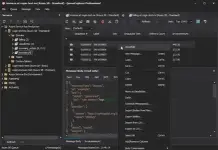
QueueExplorer Professional 5.0.85 | 35.4 Mb
QueueExplorer Professional is a Windows application for inspecting, managing, and troubleshooting enterprise message queues. It provides developers and system administrators with a centralized environment for working with multiple messaging platforms, making it easier to monitor message flow, diagnose issues, and maintain reliable messaging infrastructure.
The software supports several popular queueing technologies, including MSMQ, Azure Service Bus, RabbitMQ, and ActiveMQ, without requiring separate installations. Its native Windows interface offers detailed access to queues, topics, and individual messages, allowing users to analyze message contents, headers, properties, and metadata with ease.
QueueExplorer Professional is designed for both development and production environments. Developers can create, edit, and inject test messages to validate applications independently, while administrators can monitor queue health, investigate failed or dead-letter messages, migrate queue configurations, and back up critical data. Advanced filtering, searching, and message viewers help simplify the analysis of complex messaging systems.
Key Features:
System Requirements:
Windows 11, Windows 10, Windows 8, Windows 7
Windows Server 2022, Windows Server 2019,
Windows Server 2016, Windows Server 2012,
Windows Server 2008, Windows Server 2008 R2
.NET Framework 4.6.2 or higher
Home Page
Key Features:
- Support for MSMQ, Azure Service Bus, RabbitMQ, and ActiveMQ
- Browse, copy, move, delete, save, and restore messages
- View and edit complete message bodies with support for XML, JSON, .NET objects, text, WCF, and hexadecimal formats
- Create and send custom test messages for application development
- Perform stress testing by generating large volumes of messages
- Troubleshoot failed, poison, and dead-letter messages
- Real-time queue monitoring with automatic refresh
- Advanced filtering, sorting, and data extraction using XPath, JSON, and regular E×ρréššions
- Backup and restore messages between files and queues
- Compare, synchronize, and duplicate queues, topics, and metadata objects
- Migrate messaging configurations between servers
- Unified interface for managing multiple messaging systems
System Requirements:
Windows 11, Windows 10, Windows 8, Windows 7
Windows Server 2022, Windows Server 2019,
Windows Server 2016, Windows Server 2012,
Windows Server 2008, Windows Server 2008 R2
.NET Framework 4.6.2 or higher
Home Page
Code:
https://www.cogin.com/
KatFile
You do not have permission to view the full content of this post. Log in or register now.
Download ( Rapidgator )
You do not have permission to view the full content of this post. Log in or register now.
FreeDL
You do not have permission to view the full content of this post. Log in or register now.
