 PH
PH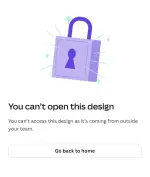
Due to a recent Cαиνα security update on July 1st, student accounts can no longer open designs shared from outside their team by default.
Only teachers and admins have this permission now.
Here is a quick workaround to get your template:
~ Open the template link using your personal Cαиνα account.
~ Press Ctrl + A (or Cmd + A on Mac) to select all elements, then copy them.
~ Switch back to your Team/School account, create a new blank design with the exact same dimensions, and paste the elements.
This should bypass the restriction and get you exactly what you need. Works 100% so far.
 For the 'Project belongs to a previous team' Error:
If you get invited to a new school/organization's Cαиνα Edu team but get an error saying you can't open a project because it belongs to your old team, try this trick:
Temporarily rejoin your previous/old Cαиνα team.
Should be done in browser, and then try the first method once you accessed it.
 ️ Disclaimer:
 I can't guarantee this will work for everyone's specific account setup.


.webp "(ditto) :(ditto):")
