PH
PHKudoSinichi
Elite
It will give you $150 upon registration you can use claude code and vscode or even codex
++++++PLUS 100$ if use my link++++++
You do not have permission to view the full content of this post. Log in or register now.
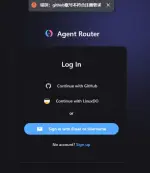
 GitHub account
SET UP FOR CLAUDE CODE
# AgentRouter API URL
$env:ANTHROPIC_BASE_URL="https://agentrouter.org/"
# AgentRouter API You do not have permission to view the full content of this post. Log in or register now.
$env:ANTHROPIC_API_KEY="sk-xxx" <--- this is where you put your api key
SET UP FOR CODEX
model_provider = "openai-chat-completions"
preferred_auth_method = "apikey"
[model_providers.openai-chat-completions]
name = "OpenAI using Chat Completions"
base_url = "You do not have permission to view the full content of this post. Log in or register now."
env_key = "AGENT_ROUTER_TOKEN"
wire_api = "chat"
query_params = {}
stream_idle_timeout_ms = 300000
"OPENAI_API_KEY":"your KEY"
}
{
"OPENAI_API_KEY":"your KEY"
}
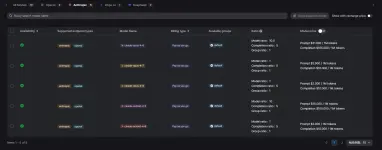
THIS IS DIRECT API SO U CAN SEE THE HUGE QUALITY GAP FROM OTHER PROVIDERS UR USING
++++++PLUS 100$ if use my link++++++
You do not have permission to view the full content of this post. Log in or register now.
- claude-opus-4-6
- claude-opus-4-7
- claude-opus-4-8
- claude-sonnet-4-5
- claude-sonnet-4-6
- deepseek-v4-flash
- deepseek-v4-pro
- glm-5.1
- gpt-5.4
- gpt-5.5
GitHub accountSET UP FOR CLAUDE CODE
# AgentRouter API URL
$env:ANTHROPIC_BASE_URL="https://agentrouter.org/"
# AgentRouter API You do not have permission to view the full content of this post. Log in or register now.
$env:ANTHROPIC_API_KEY="sk-xxx" <--- this is where you put your api key
SET UP FOR CODEX
Configure environment variables
- Visit You do not have permission to view the full content of this post. Log in or register now. to obtain your API Key.
- Set a system environment variable with the variable name AGENT_ROUTER_TOKENand the value as the one you just created ( You do not have permission to view the full content of this post. Log in or register now. ).
- Create ~/.codex/config.tomla file and add the following configuration.
model_provider = "openai-chat-completions"
preferred_auth_method = "apikey"
[model_providers.openai-chat-completions]
name = "OpenAI using Chat Completions"
base_url = "You do not have permission to view the full content of this post. Log in or register now."
env_key = "AGENT_ROUTER_TOKEN"
wire_api = "chat"
query_params = {}
stream_idle_timeout_ms = 300000
- Create ~/.codex/auth.jsona file and add the following code to it.
"OPENAI_API_KEY":"your KEY"
}
Start using directly
After configuring the environment variables, open the project directory you want to work with in the terminal, and then run the following command to start Codex.{
"OPENAI_API_KEY":"your KEY"
}
THIS IS DIRECT API SO U CAN SEE THE HUGE QUALITY GAP FROM OTHER PROVIDERS UR USING