 PH
PHMoon Eater
Elite
Hi guys,
kakahanap ko ng Free account, ito nahanap kong tricks how to export in Capcut without Pro accounts
Feedback nalang if gumagana sa inyoo since hindi heavy edit yung ginagawa thanksss
kakahanap ko ng Free account, ito nahanap kong tricks how to export in Capcut without Pro accounts
- Edit your video as normal, using all the pro features you want
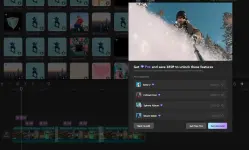
- Ctrl + A to select all clips
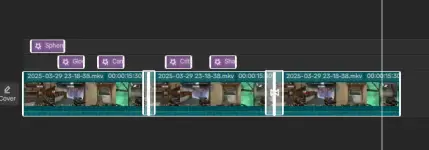
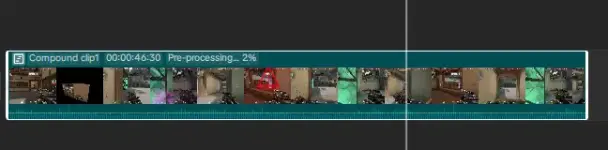
- Right click and select 'create compound clip'
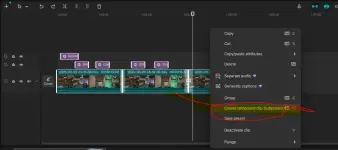
- Right click on the compound clip and select 'preprocess compound clip'
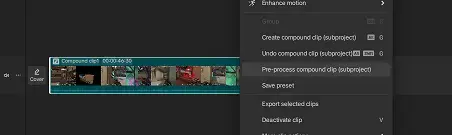
- Wait until it has fully processed and it's at 100%
- Open file explorer and navigate to this path:
- C:\Users\YOUR USER\AppData\Local\CapCut\User Data\Projects\com.lveditor.draft\YOUR PROJECT NAME OR NUMBER\Resources\combination
or check your capcut setting were you can find the savepath

- There should be 2 files there. One ends in .mp4, the other ends in .mp4.alpha.mp4 - ignore the alpha one
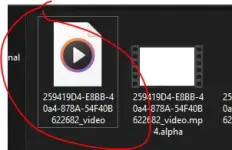
- This is where there are changes from a previous working method. Before, you could import the .mp4 file into your project and export it. That doesn't work anymore, it will say the file is corrupted
- Leave the file explorer window open and completely close CapCut. Save your project and close the window and the home screen window. You can also end task in Task Manager to do this faster
- Reopen CapCut and go to your project
- Now you can import the file from that folder (the mp4 one, NOT the alpha one) into the same project
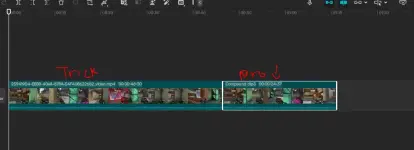
- Add it to the timeline and delete the compound clip
- Export your project. You should be able to export it without pro warnings.
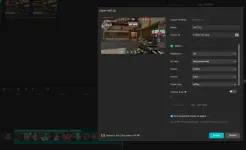
- After you export, ctrl + z to bring back your project if you want to edit it more later.
Feedback nalang if gumagana sa inyoo since hindi heavy edit yung ginagawa thanksss
 Keep sharing
.webp "(ditto) :(ditto):")
