 PH
PH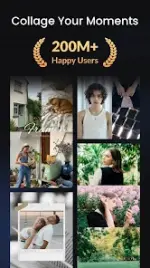
App Overview: Collage Maker | Photo Editor v2.411.212 [Premium]
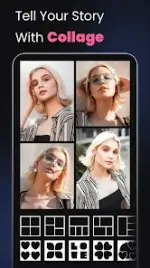
Collage Maker (also referenced as GridArt) is a multi-functional photo editing and collage creation application. The application allows users to combine up to 100 photos, utilize AI-driven editing tools, apply various templates, and format images for specialized social media layouts.Technical & Modification Details
| Specification | Details |
|---|---|
| Version | v2.411.212 [Premium] |
| Android OS Requirement | 9.0+ |
| Required Permissions | READ_EXTERNAL_STORAGE, WRITE_EXTERNAL_STORAGE (Required for reading, editing, and saving media assets) |
| Modification Status | Premium/ρáíd Features Unlocked; Debug codes removed; Monetization/Advertisements present |
| Modder Credit | PlatinumMods |
Core Feature Breakdown
1. Collage & Grid Layouts
- Capacity: Combine up to 100 photos into a single layout.
- Layout Options: 500+ curated grid and freestyle frame options.
- Customization: Adjustable grid sizes, custom aspect ratios, and adjustable border parameters.
- Side-by-Side Mode: Tailored formatting for comparison shots, social media covers, and video thumbnails.
2. AI-Powered Tools
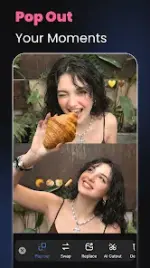
- AI Cutout & Background Eraser: One-tap background removal and replacement with themed options.
- AI Remove Tool: Object removal engine to eliminate unwanted elements from images.
- AI Photo Enhancer: Resolution upscaling and restoration tool for blurry, low-quality, or legacy images.
- AI Filters: Template-integrated filters capable of stylistic transformation (e.g., character generation).
3. Editing & Formatting Suites
- All-in-One Editor: Standard toolkit containing cropping, flipping, rotation, filter applications, text insertion, and a manual doodle tool.
- Freestyle (Scrapbook): Full-screen canvas formatting supporting free-form placement of images, stickers, texts, and doodles.
- Story Templates: 100+ styled structural templates (including Film, Magazine, and Ripped Paper aesthetics).
- Multi-fit & Layout Optimization: Standardized social media ratio adjustment tool (including 1:1, 4:5, 3:2 ratios) supporting bulk processing up to 10 photos simultaneously with blur or solid backgrounds to eliminate forced cropping.
Recent Updates (What's New)
- AI Filter Integration: Select templates now support personalized AI-driven character filters.
- Custom Filter Matching: Feature allows users to upload a reference photo to generate a matching custom filter.
- Performance Optimization: General bug fixes and stability enhancements for rendering and processing workflows.

.webp "(ditto) :(ditto):")
