 PH
PH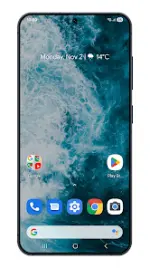
Pear Launcher (Premium Unlocked Mod)
A performance-oriented, highly customizable launcher replacement designed for Android devices.System Requirements & Metadata
| Property | Details |
|---|---|
| Android Version | 5.0 and up |
| Target Optimizations | Android 15 compatibility and stability |
| Mod Status | PRO features unlocked (No key required), Ads removed, Debug info removed, Optimized/Zipaligned graphics |
Core Features
- Desktop Customization: Adjustable grid size, customizable icon labels, indicator styles, desktop locking, top shadow, margin adjustments, and wallpaper scrolling.
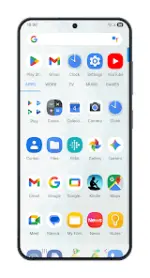
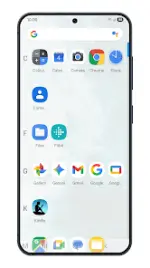
- App Drawer: Supports vertical, paged, or sectioned layouts. Features grid size adjustments, card backgrounds, sorting modes (alphabetical or install time), search bar toggle, predicted apps, direct scroll, and pull-dock-to-open functionality.
- Dock: Toggleable labels, adjustable icon counts, customizable backgrounds, and option to place the search bar above or below the dock.
- Smart Folders & Folders: Customizable layout, preview colors, backgrounds, labels, and opening animations. Supports per-folder "Smart Folders" (swipe to open folder, click to open first app) with badges and auto-creation settings.
- Gestures: Includes single-finger actions (swipe up, swipe down, double tap, edge swipes) and home button behavior configuration.
- System Integration: Backported app shortcuts, icon pack support, icon normalization, blur effects, animated clock icon, custom font styles, notification bar visibility/color control, app opening animations, and orientation locks.
- Backup & Restore: Local backup and restoration of custom layouts and launcher settings.
- Privacy: Built-in utility to hide applications from the drawer.
Note on Permissions: This application requests Device Administrator privileges exclusively for executing screen lock actions via gestures or launcher shortcuts.
Unlocked PRO Features
- Advanced Gestures: Two-finger swipe up, two-finger swipe down, proximity gestures, and shake gestures.
- Badge Customization:
- Style options (dots or numerical count)
- Adjustable badge positioning
- Dynamic badge color extraction from the host app icon
Recent Updates & Bug Fixes
- Localization: Added Chinese and Korean translation support.
- Fixes:
- Resolved a bug requiring two clicks to open the keyboard in the app groups/paged style search boxes.
- Fixed hardware action settings requiring a launcher restart to apply.
- Removed hardware actions automatically from unsupported platforms lacking physical sensors.
- General performance improvements and stability optimizations.