 PH
PH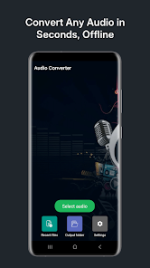
Application Overview
Audio Converter is an offline Android application designed for audio format conversion, audio cutting, and audio extraction from video files. It supports batch processing, audio metadata editing, and direct exporting for system sounds (ringtones, alarms, notifications).Technical Specifications
| Property | Details |
|---|---|
| Version | v21.8 b256 [Premium] |
| Android OS | 6.0+ |
| Architecture | arm7 + arm64 |
| File Size | 57.7 MB |
| SHA-256 | 3f97a01dfc09c1616806800feb2c59707e8760d8dd1169dcffd9e01344466bc1 |
| Mod Features | Premium Unlocked |
Key Features
1. Audio Conversion & Batch Processing
- Batch Mode: Processes multiple audio files or playlists simultaneously offline.
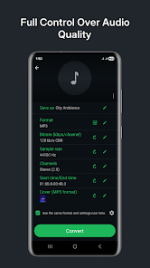
- Bitrate Options: Range from 8 kb/s to 320 kb/s.
- Bitrate Modes: Supports CBR, VBR, and ABR.
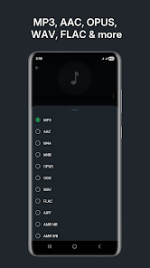
- Supported Formats: MP3, AAC, M4A, OGG, OPUS, WAV, FLAC, WMA, AMR (NB & WB), AC3, and others.
2. Audio Editing & Customization
- Audio Cutting: Trim clips before or after the conversion process.
- Parameter Adjustment: Modify sample rate, audio channels, and playback speed.
- Volume Control: Increase volume levels prior to conversion.
- Tag & Cover Editing: Add, replace, or edit MP3 cover art and audio tags (Title, Artist, Album).
3. Video Audio Extraction
- Extracts audio tracks from video files and saves them into standard audio formats.
4. System Sound Integration & Exporting
- Save processed clips directly as Music, Ringtone, Alarm sound, or Notification sound.
- Assign clips as the default system ringtone, alarm, or notification.
- Local storage organization and export functionality to local directories.
What's New
- Bug fixes and performance improvements.