 PH
PH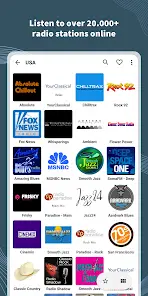
App Overview: VRadio v1.6.0 (b10106000)
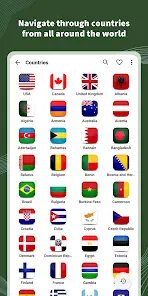
VRadio is an online radio application that provides access to thousands of terrestrial and web-only radio stations streaming globally. The application supports background playback and includes telemetry for data usage tracking.Technical Specifications
| Requirement / Detail | Specification |
|---|---|
| Android Version | 6.0+ |
| App Version | v1.6.0 b10106000 |
| Compatibility | Android, Android TV, Android Auto, Windows (via remote playback) |
| Hardware/Cast Support | Chromecast, UPnP/DLNA devices |
| Status/Edition | Premium |
Core Features
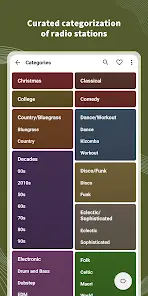
- Station Selection: Wide variety of radio stations categorized by music genres and types, with the ability to add custom user station URLs.
- Metadata Display: Real-time information about the currently playing song (where supported by the station broadcast).
- Data Management: Favorites list import/export functionality for backup and retrieval; built-in data usage measurements for both Wi-Fi and mobile networks.
- Audio Recording: Ability to record live music and talk shows directly within the app.
- Connectivity: Integration with Android Auto for in-vehicle playback; remote playback capability to Chromecast, UPnP/DLNA devices, and the Windows companion app.
- Scheduling Tools: Built-in Alarm Clocks, Sleep Timers, and playback/recording schedules.
- Interface: Home screen widget for rapid access; localized language and behavior configuration options in settings.
New Updates
- Account Linking: Premium purchases can now be linked directly to a VRadio account.
- Interface Personalization: Added an option to hide the station logo on the "Now Playing" screen.
- Recording Tools: Added a mute button within the recording bar's three-dot menu.
- Advanced Scheduling: Support for setting specific dates for alarm clocks and schedules (Premium feature).