 PH
PHpriincekissed
Forum Veteran
Use this APN
➡1st, download Facebook lite not tested on official app but you can try.
➡2nd, log in with your account. kung di mo alam may
⬇⬇⬇screen shot sa baba⬇⬇⬇
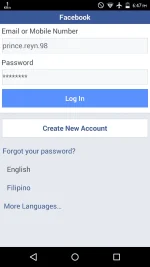
➡3rd, may magpapakitang ganyan.
⬇⬇⬇screenshot⬇⬇⬇
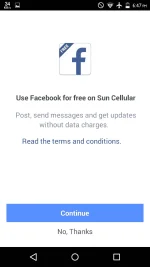
"continue mo lang"
➡4th,
may magpapakita na nanamang multo,
Continue lang
⬇⬇screenshot⬇⬇
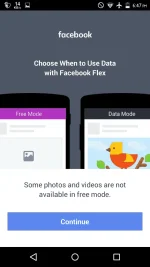
➡5th, pag nasa news feed ka na, "Click any photo" tapos pag may nagpakitang "use data" tap "cancel" then boom,
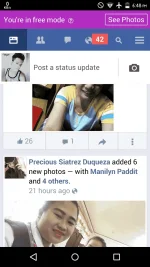
"note new members Working sa pocket wifi ,naka wifi ako, smartbro "sun ang sim" baka sasabihin niyo nanamang.
*eh naka wifi ka naman t*nga
*naka wifi amp*ta
ganyan ang ang nareceive kong negative comments nung nakitang nakawifibako, mga new members din sila noon.
Spoiler contents are visible only to Established Members.
➡1st, download Facebook lite not tested on official app but you can try.
➡2nd, log in with your account. kung di mo alam may
⬇⬇⬇screen shot sa baba⬇⬇⬇
➡3rd, may magpapakitang ganyan.
⬇⬇⬇screenshot⬇⬇⬇
"continue mo lang"
➡4th,
may magpapakita na nanamang multo,
Continue lang
⬇⬇screenshot⬇⬇
➡5th, pag nasa news feed ka na, "Click any photo" tapos pag may nagpakitang "use data" tap "cancel" then boom,
"note new members Working sa pocket wifi ,naka wifi ako, smartbro "sun ang sim" baka sasabihin niyo nanamang.
*eh naka wifi ka naman t*nga
*naka wifi amp*ta
ganyan ang ang nareceive kong negative comments nung nakitang nakawifibako, mga new members din sila noon.
