 PH
PHdiscuss3387
Established

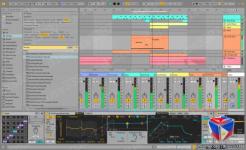




Description
Languages: Multilanguage, English, German....
Whatever music you make, and whoever you are as a music maker, there?s always more to explore in Live. See how you can go further with Live 12.
Apply a variety of simple or complex variations to your MIDI clips with new MIDI Transformations. Add ornaments and articulations, draw acceleration and deceleration curves, connect successive notes and chords, simulate the strum of a guitar, and more.
Conjure up melodies, chords and rhythms with the help of new MIDI Generators. Set constraints and let your chosen Generator create playful and original ideas for you to develop and turn into your own.
Try out additional Max for Live Transformations and Generators that give you deeper ways of working with MIDI, or go even further by building new ones.
Follow your preferred tuning systems or try different ones more easily. Work outside of 12-tone equal temperament, and use your tuning with Live?s devices as well as any MPE-capable plugin or hardware.
Transform or generate ideas within the confines of the selected scale, or sync the scale of MIDI devices and instruments to the clip being played.
Use keyboard and mouse operations to edit MIDI in new ways. Split a note in two, or chop it into several parts. Select a set of notes and join them together, or make them fill a selected time range. Plus, you can access to more tools from the Note Utilities panel on the left, such as Fit Scale, Humanize, Add Intervals, and more.
Stay in control of a parameter, even after it?s been mapped to a modulation source; Max for Live devices like LFO, Shaper and Envelope Follower now let you freely adjust a destination that?s being modulated.
Installation and activation instructions are included (inside).
Details
- File Size: 5.1 GB
Download Links
You do not have permission to view the full content of this post. Log in or register now.
You do not have permission to view the full content of this post. Log in or register now.
You do not have permission to view the full content of this post. Log in or register now.
You do not have permission to view the full content of this post. Log in or register now.
You do not have permission to view the full content of this post. Log in or register now.
You do not have permission to view the full content of this post. Log in or register now.
You do not have permission to view the full content of this post. Log in or register now.
You do not have permission to view the full content of this post. Log in or register now.
You do not have permission to view the full content of this post. Log in or register now.
You do not have permission to view the full content of this post. Log in or register now.
You do not have permission to view the full content of this post. Log in or register now.
You do not have permission to view the full content of this post. Log in or register now.
You do not have permission to view the full content of this post. Log in or register now.
You do not have permission to view the full content of this post. Log in or register now.
You do not have permission to view the full content of this post. Log in or register now.
You do not have permission to view the full content of this post. Log in or register now.
You do not have permission to view the full content of this post. Log in or register now.
You do not have permission to view the full content of this post. Log in or register now.