 PH
PH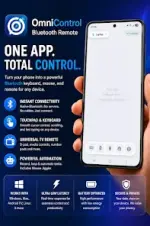
Omni Control: Bluetooth HID Mouse, Keyboard, Gamepad & Macro Controller
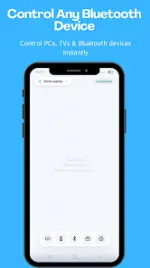
Omni Control transforms Android devices into a Bluetooth HID controller to manage PCs, tablets, smart TVs, and cloud gaming setups without requiring any server-side software. The device connects directly over Bluetooth and is recognized natively as an input device.App Specifications
| Parameter | Details |
|---|---|
| Android Version | 5.0 and up |
| Connection Type | Bluetooth HID (No server software required) |
| Current Version Update | New HID Game Controller Support |
Core Features
- Bluetooth Mouse & Touchpad: Provides cursor movement and touchpad functionality for laptops, PCs, tablets, and smart TVs.
- Bluetooth Keyboard: Enables wireless text input with support for system shortcuts.
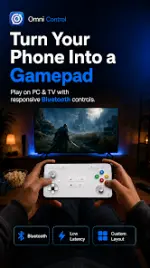
- HID Game Controller Mode: Emulates a hardware gamepad for emulators, native games, and cloud gaming platforms.
- Custom Macros & Automation: Allows the creation of programmable controls and shortcuts to automate repetitive tasks.
- Media & Presentation Controls: Offers remote management for video playback, music, slideshows, and presentations.
- Low Latency Architecture: Optimized for input responsiveness and stability across both gaming and productivity workflows.
Key Use Cases
- Gaming: Xbox Cloud Gaming, Steam Link / Steam Remote Play, and hardware emulators.
- Media & Entertainment: Android TV, Smart TVs, and home theater setups (HTPC).
- Productivity: Windows PCs, laptops, Mac devices, tablets, and remote desktop management.
What's New (Latest Update)
- HID Gamepad Emulation: Full integration as a native Bluetooth game controller, verified compatible with Xbox Cloud Gaming.
- Custom Controller Macros: Ability to automate controller actions and button sequences.
- Performance Optimizations: Improved Bluetooth responsiveness, enhanced input handling, and upgraded controller mapping support.

.webp "(ditto) :(ditto):")
