 PH
PH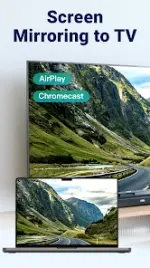
Application Overview
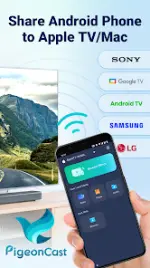
PigeonCast is a dual-protocol screen casting and mirroring application designed for Android devices. It supports both AirPlay and Google Cast protocols, enabling cross-ecosystem media streaming and screen mirroring from Android to Apple TV, macOS, Windows, and various Smart TV platforms.Technical Specifications & Build Info
| Parameter | Details |
|---|---|
| Application Name | PigeonCast: Mirror via AirPlay |
| Version | v3.4.2 |
| Minimum OS | Android 7.0+ |
| License Type | Premium / Pro Features Unlocked (Modded by PlatinumMods) |
| Mod Modifications | Premium unlocked, debug codes removed, license verification removed |
| Ads | Contains credit advertisements |
Key Features
- AirPlay Support: Integrates AirPlay 2 compatibility to mirror Android screens to Apple TV or Mac with low latency and multi-room audio support.
- Google Cast Support: Casts screen and media from Android devices to Chromecast, Google TV, and Android TV hardware.
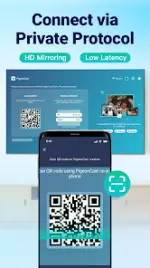
- Proprietary Protocol: Enables direct casting from an Android device running PigeonCastSender to Windows PCs, macOS, and Smart TVs running PigeonCastReceiver.
- High-Definition Screen Mirroring: Supports real-time screen mirroring up to 2K resolution at 60fps with an optional audio mute toggle.
- Local Media Streaming: Transmits local photos, videos, and audio files over local networks via AirPlay or Google Cast protocols.
- Web Video Casting: Streams online video content directly from mobile browsers (e.g., Twitch, iMOB) to target displays with integrated playback controls.
- Remote Playback Management: Full control interface for play, pause, volume adjustment, scrubbing, and file switching.
Device Compatibility
- Apple Ecosystem: Apple TV (AirPlay-enabled), macOS (macOS Monterey and later).
- Google Ecosystem: Chromecast, Google TV, Android TV, Chromebook.
- Smart TV Platforms: Sony, TCL, Roku, Vizio, Xiaomi, Hitv, Samsung (2018-2023), and LG (2018+, webOS 4.0 or higher).
Architecture & Connection Workflow
The proprietary casting protocol requires a sender-receiver architecture to establish a connection between devices:- Install PigeonCastSender on the source Android smartphone.
- Install PigeonCastReceiver on the target destination (Windows PC, macOS, or Smart TV).
- Scan the generated QR code on the target display using the PigeonCastSender application to initialize the mirror stream.
Version Changelog
- Implemented AirPlay 2 protocol support for mirroring Android screens to Apple TV and macOS.
- Added Google Cast integration for native streaming to Chromecast and Android TV devices.
- Deployed cross-platform architecture allowing deployment between PigeonCastSender and PigeonCastReceiver.
- Introduced screen mirroring capabilities between a sender and a web-based receiver operating across different network subnets.