 PH
PH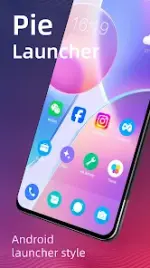
Pie Launcher: Feature-Rich Android Launcher
Pie Launcher is an Android launcher inspired by Android 11 through Android 16. It backports modern Android launcher features to older devices while adding extensive customization options and theme support.App Specifications
| Parameter | Details |
|---|---|
| Minimum OS | Android 5.0+ (Optimized for Android 12L and up) |
| Base Code | Android 11 & Android 16 Launcher |
| Current Version | 13.6 |
| Architectures | arm64-v8a, armeabi-v7a |
| Supported Languages | en-AU, en-CA, en-GB, en-IN, en-XC |
| Modifications | Premium Features Unlocked; Debug Info Removed |
Core Features
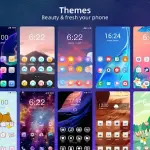
- Theming & Customization: Supports over 1,000 themes and most third-party icon packs from the Google Play Store. Contains an online wallpaper repository.
- Desktop & Layout Control: Configurable grid size, icon size, label size, and label color. Includes a desktop lock feature to prevent accidental layout changes. Wallpaper scrolling can be toggled on or off.
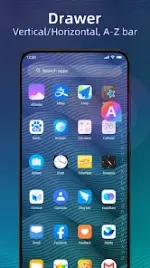
- App Drawer: Defaults to vertical mode with optional horizontal mode support. Features a customizable background (light, dark, blur, transparent, or custom color) and includes the latest Android widgets drawer.
- Privacy & Notifications: Supports hiding unused or private applications and displays notification dots.
- Gestures: Integrates native Android 9.0 Pie swipe gestures (swipe up for app drawer, swipe down for desktop) alongside customizable gestures including pinch in/out, double-tap, and two-finger swipes.
- Interface Styling: Search bar styles are configurable. Dock background shapes can be set to rectangle, rounded, arc, platform, or disabled.
Changelog (v13.6)
- Optimized the 3D wallpapers feature.
- Optimized the design of the settings page.
Main link: DownloadLegal Notice: Android is a registered trademark of Google, Inc. Pie Launcher is inspired by the Android Launcher but is not an official Google product.

.webp "(ditto) :(ditto):")
