 PH
PH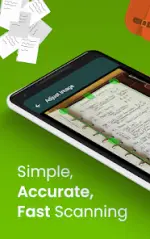

App Overview: Clear Scan - PDF Scanner App
Clear Scan is a document scanning application that converts mobile devices into a portable scanner. It allows users to capture documents, receipts, books, and notes, converting them into high-quality PDF or JPEG formats. The application features automatic edge detection, perspective correction, and built-in Optical Character Recognition (OCR) to extract text from images.Technical Specifications
| Property | Details |
|---|---|
| Application Version | v10.1.66 (Build 900010166) |
| Minimum OS Requirement | Android 6.0+ |
| Supported Screen DPIs | 120dpi, 160dpi, 240dpi, 320dpi, 480dpi, 640dpi |
| Languages | Full Multi Languages |
| Mod Modification Credit | NURIK |
Core Features
- Edge Detection & Correction: Automatic document boundary identification and perspective adjustment.
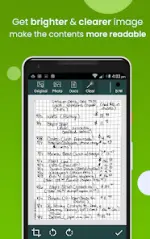
- Image Processing: Auto-correction for brightness, shadow removal, and image straightening.
- Multiple Filter Options: Photo, document, clear, color, or black & white.
- File Management: Supports creation of folders and subfolders, file naming, in-app storage, search functionality, and page reordering (adding/deleting pages).
- PDF Customization: Configurable page sizes including Letter, Legal, A4, and others.
- OCR Text Extraction: Extracts text from images to enable searching, editing, or sharing.
- Cloud Integration & Sharing: Direct export to mail, Dropbox, OneDrive, SkyDrive, Google Drive, and Evernote. Supports printing via Cloud Print.
- Backup & Restore: Manual backup creation and restoration options for data migration between devices.
Modification (Mod) Details
| Feature | Status / Description |
|---|---|
| Pro / Premium Status | Activated |
| Advertisements | Disabled |
| Analytics & Tracking | Disabled |
| Google Play Services Dependency | Disabled |
| In-App Billing Service | Disabled |
| Debug Information | Removed |
| Resources | Optimized for smaller app footprint |
What's New (v10.1.66)
- Fixed a bug where sharing files to external applications could cause freezes or failures.
- Improved application stability via user interface (UI) bug fixes.
- Enhanced compatibility and support for opening password-protected PDF files.

.webp "(ditto) :(ditto):")
