 PH
PH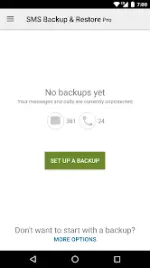
SMS Backup & Restore Pro v10.25.004
SMS Backup & Restore Pro is a standalone Android utility designed to back up and restore device text messages and call logs. It utilizes the XML format for data storage, ensuring compatibility across different Android versions.Technical Specifications
| Parameter | Specification |
|---|---|
| App Version | v10.25.004 |
| Minimum OS | Android 6.0+ (Tested up to Android 5.0 and higher) |
| Architecture | Universal |
| Screen DPIs | 160dpi, 240dpi, 320dpi, 480dpi, 640dpi |
| Languages | Full Multi Languages |
| License Type | ρáíd / Premium (No ads, untouched APK with original hash signature) |
| Certificate MD5 | 4fac917247e7a43cd1a5ee090188b34e |
Core Features
- Data Formats: Backs up SMS (text), MMS, and call logs into standard XML format. XML files can be converted to other formats or viewed on a computer.
- Storage Options: Creates backups locally by default. Supports automated or manual uploads to Google Drive, Dropbox, OneDrive, or Email.
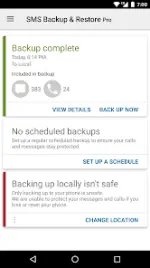
- Scheduling: Built-in options to set recurring, automated backup intervals.
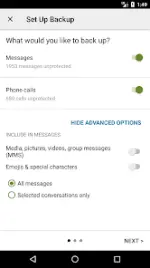
- Granular Control: Ability to select specific text conversations to back up or restore, rather than the entire database.
- Management Tools: Features to view, search, and drill into local or cloud-based backups.
- Device Transfer: Supports direct, fast transfer between two devices via Wi-Fi Direct. Backup files are independent of Android versions.
- Space Management: Option to delete all local messages or call logs to free up device storage.
Changelog (What's New)
- Updated the "Export from backups" screen.
- Fixed application crashes associated with OneDrive uploads.
- Fixed application crashes associated with HTML exports.
- Resolved stability issues/crashes when printing large conversation threads.
- Included contact names in the Call Log export data.
Required Device Permissions
| Permission Type | Purpose |
|---|---|
| Messages & Calls | Backup/restore SMS and call logs; temporary default handler capabilities to manage incoming messages during restoration. |
| Contacts & Social Info | Maps and stores contact names within the backup files. |
| Storage Access | Read/write permissions to create backup files on internal or external (SD card) storage. |
| Network Communication | Wi-Fi and network access for cloud uploads and Wi-Fi Direct transfers. |
| Account Information | Authentication tokens for Google Drive and Gmail integrations. |
| System Tools | Run at startup (to initiate scheduled tasks); prevent device from sleeping during active backup/restore operations. |
Operational Notes
- Limitations: The utility cannot restore messages or call logs that were deleted prior to creating a backup. Advanced messaging features are not supported.
- Initialization: The application must be launched manually at least once after installation or a device update to register scheduled background tasks.
- Troubleshooting: If restored messages do not immediately appear in the default messaging application, toggle the system SMS setting off and on again within the primary messaging app.