 PH
PH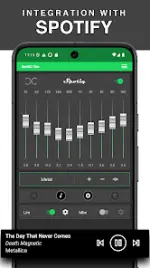
App Overview & Specifications
SpotiQ Ten Equalizer is an audio management application for Android designed to enhance sound quality across various audio devices, featuring deep integration with Spotify and other media players.| Attribute | Specification |
|---|---|
| App Name | SpotiQ Ten Equalizer |
| Version | vT.11.7.0 [Premium Mod] |
| OS Requirement | Android 10 and up |
| Modder | TRUMods |
| Target Integration | Spotify, standard music/video players |
| Hardware Compatibility | Headphones, Bluetooth speakers, Hi-Fi systems, Car Audio |
Core Technical Features
Audio Processing & Management
- 10-Band Graphic Equalizer: Precision frequency manipulation via manual sliders.
- Volume Amplifier & Sound Booster: Hardware-level audio output amplification.
- Professional Compressor: Dynamic range compression for balanced audio leveling.
- Bass Boost System: Subwoofer and sub-bass optimization for deep, natural low-end replication.
Automation & Preset System
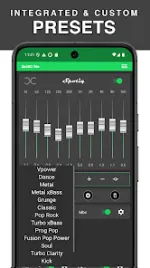
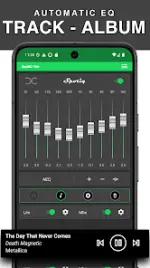
- Preset Management System: "One Song <-> One Equalizer" architecture allows unique profiles per track.
- Automatic Detection: Real-time identification of active Spotify tracks to apply corresponding presets instantly.
- Preset Storage: Support for unlimited standard and dynamic sound presets with automatic Google Drive backup functionality.
Mod Modification Log
- Premium Unlocked: Full access to the professional compressor, unlimited preset creation, and unrestricted device-wide preset music access.
- Code Optimization: All debugging codes removed for reduced overhead.
- Device Compatibility: Target stability improvements implemented specifically for Samsung hardware.
Operational Workflow
- Initialization: Launch the application on an Android 10+ environment.
- Synchronization: Sync the application with the background Spotify service or alternative media engine.
- Configuration: Utilize the graphic EQ sliders to manually adjust frequencies or select from predefined sound profiles.
- Deployment: Sound profiles apply automatically upon track detection.
