 PH
PH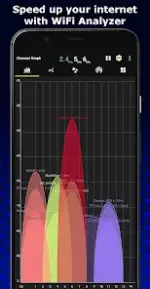
App Overview
WiFi Analyzer is a network optimization tool that transforms Android devices into a signal and channel analyzer. It provides data to decrease network interference, optimize connection speed, and improve stability by identifying the best channels and locations for a wireless network.Technical Specifications
| Parameter | Specification |
|---|---|
| App Version | v7.9 build 125 [Pro] [Mod Extra] |
| OS Compatibility | Android 5.0+, includes Android 13 support |
| Frequency Bands | 2.4GHz / 5GHz / 6GHz |
| Localization | Translated into 17 languages |
Key Features
Core Capabilities
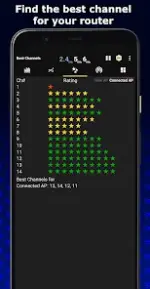
- WiFi Optimizer & Channel Analyzer: Identifies interference issues and analyzes nearby Access Points (APs) to recommend the best channels for connected networks.
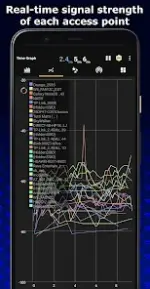
- Signal Metrics: Provides real-time data, distance calculations, and a history of signal strength.
- Network Visibility: Displays hidden SSIDs, default channel widths, and general connection information.
- Utility Tools: Allows copying of MAC addresses and direct connection to open networks from within the app.
Advanced & New Features
- Network Diagnostics: Integrated WiFi Speed Test, Signal Tracker, and network discovery to detect connected devices.
- Data Management: Ability to export graphs and save user preferences.
Modification Details
- Premium Unlocked: All Pro/ρáíd features are fully enabled.
- Privacy & Optimization: Debug code removed; Analytics, Crashlytics, and Firebase tracking disabled.
- Permissions Cleaned: Unwanted permissions, receivers, providers, and services removed from the
AndroidManifest. - Ad-Free: All advertisement layout visibilities disabled, ad links removed, ad-related methods nullified, and ad permissions/services stripped.