 PH
PH
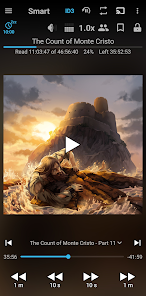
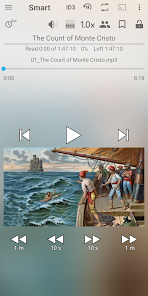
Application Overview
An audio book player designed for local playback of manually downloaded audio files.Initial Configuration
- Create separate subfolders for each individual book inside a root folder named
My Audiobooks. - Navigate to Library -> Settings -> Root folder and select the
My Audiobooksdirectory. - Tap the Update button at the top of the Library window to refresh.
Technical Specifications & App Details
| Parameter | Details |
|---|---|
| Base Application | Smart AudioBook Player |
| Version | v11.7.6 |
| Compatibility | Builds available for Android 4.1 - 4.3 and Android 4.4 - 5.1+ |
| Licensing | Premium / Unlocked (One-time purchase model for official full version) |
| Ad Model | No Advertisements |
Core Features
- Independent Progress Tracking: Progress is saved automatically and independently for each book, allowing multiple books to be read simultaneously.
- Playback Speed Control: Adjust narration speed.
- Library Classification: Status indicators for books designated as New, Started, or Finished.
- Cover Art Retrieval: Downloads book covers directly from the internet.
- Bookmarks & Character Lists: Save specific moments and manually create character lists for plot tracking.
- Sleep Timer: Automatically pauses playback after a set duration. Shake the device to reset the timer and resume.
- Playback History: Review past positions to recover from accidental skips or file changes.
- Chromecast Support: Stream audio output to compatible external speakers.
- Home Screen Widget: Controls playback directly from the device home screen.
What's New
- Fixed casting/streaming compatibility issues with specific Chromecast devices.
- Fixed Bing cover art search functionality.
- Added an option to turn off the sleep timer inside Android Auto (Settings -> Sleep timer -> Turn off in Android Auto).
- Added exact book position details to the history log (Menu -> More -> History).
- Added formatting option to hide playback position (Settings -> Full version settings -> Playback position format: Don't show).
- Added a Noise reduction toggle option within the Equalizer dialog.
Modification Details
- Full / ρáíd Premium features unlocked.
- Removed and disabled unwanted Permissions, Receivers, Providers, and Services from
AndroidManifest.xml. - Debug code and telemetry/analytics removed.
- In-app rating dialogs disabled.