PH
PHvegetayabang
Fanatic
Thank po dto.. pero bakit skin nagfoforce stop po pagclinick kna ung OK... ano po kay problema... tnx pa din boss... keep sharing queencee....
vegetayabangThank po dto.. pero bakit skin nagfoforce stop po pagclinick kna ung OK... ano po kay problema... tnx pa din boss... keep sharing queencee....
sarmayee I am honored, happy to serve lang po, thank you ma'am.Thank you Mam. I'm very lucky I found a brilliant you in this site. You helped me a lot using your VPNs and quotes.
mike28 Wow that is good news, I hope we can say the same here in NCR, we hope to experience that for our TNT sim network.
I am amazed sir.
tnt po ba to sir?Add Port to Non Port URL :1080
Remove Port: √
Proxy type: HTTP
Custom Header:internet.org
Real Proxy Type: HTTP
Real Proxy Port: 80
yan po ang setting ko... QC area...
Thank you for a share. Try ko din to. Keep on sharing..Add Port to Non Port URL :1080
Remove Port: √
Proxy type: HTTP
Custom Header:internet.org
Real Proxy Type: HTTP
Real Proxy Port: 80
yan po ang setting ko... QC area...
vegetayabang
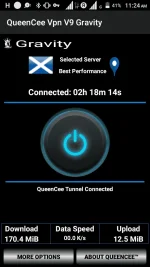
—Try uninstalling QueenCee VPN V9 then download and install a fresh one.
—Then reboot after installation. Launch our VPN. Be sure to input the correct entries on the VPN and on the APN too. Hit the Ok button.
—Or it can be that you just need to free you cp from other unused apps to give it enough space and ram memory to run.
*If you are still unable to launch then it is confirmed that your unit is not compatible with our particular VPN version now.
ma'am queencee working po yung no load ni tnt hehehee kaso sa manila area po thanks kay mike28 sa binahagi nya