 PH
PH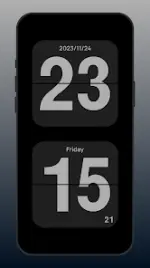

App Overview
Flip Clock is a minimalist, full-screen time management application featuring a page-turn animation. It integrates a Pomodoro timer, world clock, floating clock, and weather display. The application is designed for high visibility from multiple angles and serves as a dedicated time display tool.Technical Details
| Specifications | Details |
|---|---|
| App Name | Flip Clock - World Clock |
| Version | v1.5.3.2 |
| OS Requirement | Android 7.0 and up |
| Supported Architectures | armeabi-v7a, arm64-v8a |
| Languages | Full Multi Languages |
Core Features
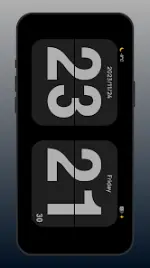
- Display & Customization: Full-screen flip-page animation supporting both landscape and portrait orientations. Includes options for 12-hour and 24-hour modes, multiple themes, and customizable font selections.
- Pomodoro Timer: A scientific study and work timer designed to improve focus and productivity during specific time periods.
- World Clock & Weather: Allows searching and tracking time zones, current time, and weather conditions for multiple cities globally.
- Widgets & Overlays: Includes a floating clock window function and various styles of desktop clock and world clock widgets.
- Privacy: Ad-free operation requiring no system permissions.
Mod Features (HeroMods Release)
- Pro / ρáíd / Premium features fully unlocked.
- Graphics and application resources optimized for performance.
- All debug code and unnecessary files removed.
- Default
.sourcetags removed from the corresponding Java files.
Navigation & Usage
- Switch Functions: Swipe left or right.
- Access Settings: Swipe up.
What's New
- Optimized screen saver functionality.
- Optimized landscape display rendering for clock themes.
- Fixed Always On Display (AOD) visibility issues on the lock screen.
- General bug fixes and user experience improvements.