 PH
PH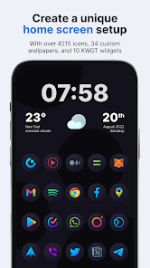
Hera Dark: Circle Icon Pack v7.2.9 [Patched]
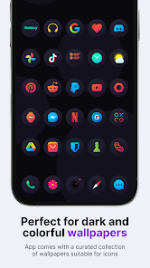
Hera Dark is a collection of circular icons featuring colorful gradients overlaid on a dark circular background, designed for dark setup configurations.Application Specifications
| Feature | Specification |
|---|---|
| Android Version | 8.0 and up |
| Total Icons | 6,485 |
| Wallpapers Included | 34 (Cloud-based) |
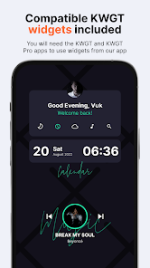
| Widgets Included | 14 KWGT widgets |
| Icon Resolution | 192 x 192 px |
| Update Frequency | Minimum twice per month |
| Mod Status | Patched / Premium |
Core Features
- Design: Circular icon shape with modern gradients on dark circular backgrounds.
- Compatibility: Optimized for both dark and light wallpapers/themes.
- Dynamic Content: Includes dynamic calendar icon support.
- System Masking: Masking automated for unthemed icons.
- Customization: Manual folder icons and alternate icons for popular applications.
- Launcher Configuration: Recommended icon size scale of 120-130% within custom launcher settings.
Supported Launchers
| Supported Launchers List |
|---|
| Action Launcher • ADW Launcher • ADW ex Launcher • Apex Launcher • Go Launcher • Google Now Launcher • Holo Launcher • Holo ICS Launcher • Lawnchair • LG Home Launcher • LineageOS Launcher • Lucid Launcher • Nova Launcher • Niagara Launcher • Pixel Launcher • Posidon Launcher • Smart Launcher • Smart pro Launcher • Solo Launcher • Square Home Launcher • TSF Launcher |
Operational Instructions
Alternate Icon Selection
- Long-press the target homescreen icon -> Icon options -> Edit.
- Tap the icon image -> Select Hera Dark.
- Press the top-right arrow to expand the full catalog.
- Navigate categories or use the search bar, then tap the desired alternate icon to apply.
Requesting Icons
- Open the application, navigate to the Request card, select the unthemed applications, and generate the request via Gmail.
- Do not alter the generated ZIP file or email subject line.
- Icon prioritization is determined via automated software aggregation based on global user request volume. Premium requests are processed with an estimated turnaround of two weeks.
What's New
- 5 new icons added.
- Bug fixes and system stability improvements.