 PH
PH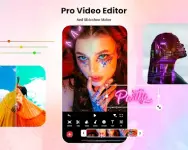
App Overview: InShot Video Editor & Maker
InShot is an all-in-one multimedia editing application designed for video production, photo editing, and collage creation. It supports multi-layer editing, speed manipulation, and AI-driven automated tools suitable for content creation across various platforms.Technical Specifications
| Parameter | Details |
|---|---|
| OS Requirement | Android 7.0 and up |
| Export Support | Custom resolutions up to 4K at 60fps |
| Mod Features | Server-side execution for AI features |
Core Features
AI Tools
- AI Body Effects: Instant presets that apply visual effects tracking human bodies.
- Auto Captions: AI-powered speech-to-text conversion with bilingual support.
- Auto Background Removal: Single-tap background isolation for both video and photo assets.
- Smart Tracking: Syncs stickers and text layers with moving objects in the frame.
- Smooth Slow-Mo: Computational interpolation for high-frame-rate slow-motion effects.
- AI Photo Enhancer: Sharpens and upscales blurry images to high definition.
Video Editing & Manipulation
- Clip Management: Trim, merge, split, and reverse video clips without quality loss.
- Speed Control: Standard speed adjustments and advanced speed ramping curves.
- Keyframe Animation: Manual customization for keyframe-driven motion graphics.
- Chroma Key: Green screen compositing and color keying.
- Picture-in-Picture (PiP): Multi-layered video overlay layouts.
- Blends & Mixtures: Advanced blend mode integration for layered assets.
- Color Picker: Hex/color sampling from the display screen to apply to text and background layers.
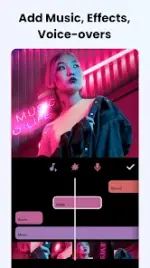
- Audio Tools: Support for music tracks, sound effects, voice-overs, and variable voice effect filters.
Design, Filters, & Transitions
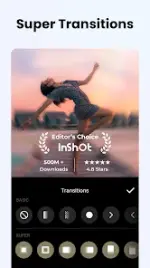
- Transitions: Cinematic transition packs, including a Geometric transition set.
- Filters & Grading: Pro-tier cinematic filters with manual adjustment controls for brightness, contrast, and saturation.
- Special Effects: Glitch, Fade, Noise, Beats, Weather, Retro DV, Celebrate, Clone, Stroke, and Auto-Blur.
- Canvas Settings: Flexible aspect ratio presets tailored for YouTube, TikTok, and Reels alongside customizable pattern backgrounds.
Photo Editor & Collage Maker
- Object Removal: Erases unwanted elements via automated AI or manual selection tools.
- Collage Engine: Grid maker supporting over 100 editable layout presets.
- Pic Stitch: Alignment tool for horizontal, vertical, or automated subtitle-based stitching.
- Asset Library: Access to over 1000+ stickers, memes, fonts, and background graphics.
What's New
- Automated captions with integrated bilingual processing.
- AI Light feature for post-capture photo illumination adjustments.
- Integration of the "Geometric" transition package.
- General performance enhancements and bug fixes.