 PH
PH
Application Overview
Vidma Cut is a multi-track music video editor and maker featuring a library of Ghibli-art style tracks, trending video effects, and advanced editing tools.| Attribute | Details |
|---|---|
| App Name | Vidma Cut (AI Video Editor) |
| Version | v2.26.0 (VIP Modded by Mixroot) |
| OS Requirement | Android 9 and up |
| Mod Features | VIP/ρáíd Features Unlocked, Premium Active, Debug Info Removed |
Core Features
Video Editing & Formatting
- Timeline Operations: Multi-track editing, precise video trimming, splitting, duplicating, combining, and full undo/redo functionality with draft autosave.
- Canvas & Backgrounds: One-tap resizing for landscape, portrait, or square formats. Supports plain colors, gradients, and pattern backgrounds.
- Velocity Editing: Preset speed ramping with audio pitch maintenance, slow-motion/fast-motion effects, video reversal, and beat synchronization.
Professional Editing Tools
- Background Removal: Automated cutout of subjects from video backgrounds.
- Chroma Key: Green screen background replacement.
- Keyframe Animation: Manual motion effect mapping for static images and layers.
- Video Overlay & Blender: Multi-layer footage compositing with adjustable blend modes.
- Freeze Frame: Single-tap movement halting.
Audio Integration
- Music Library: Includes over 4,000 high-quality songs.
- Audio Tools: Audio extraction from video, voice-over recording, voice effects, and configurable fade-in/out transitions.
Effects, Filters & Assets
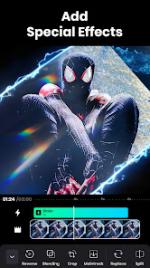
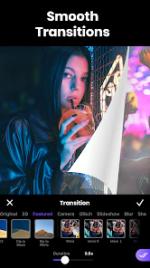
- Visual Effects: Cinematic color grading (saturation, temperature, exposure, brightness, vignette, fade, contrast) alongside trending filters (Glitch, Motion Blur, Retro VHS, 90s, D3D).
- Asset Library: Integrated search engine for millions of curated, royalty-free images and stock video footage.
Export & Output
- Resolution: Supports exporting up to 4K resolution without quality loss.
Changelog
- v2.26.0: Bug fixes and performance improvements.