 PH
PH
Colors Shapeless Icon Pack v6.6 [Patched]
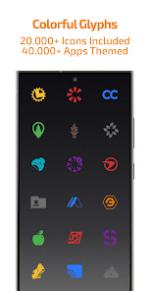
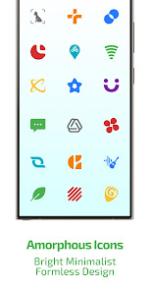
Colors Shapeless Icon Pack features a curated 10-color palette that replaces the original icon style, designed to provide a uniform appearance across both dark and light wallpapers.Specifications & Features
| Detail | Specification / Feature |
|---|---|
| Android Version | 5.0 and up |
| Total Colored Icons | 25,000+ |
| Total Apps Themed | 45,000+ |
| Changelog (v6.6) | Added 570+ new icons; Redesigned 2,750+ old icons |
| Mod Features | Patched; Premium features enabled (including Free and Premium Icon Requests) |
| Dashboard | Material You User-Friendly Dashboard |
| Additional Features | Exclusive color-optimized wallpapers, dynamic calendars for supported launchers, and icon masking/backgrounds for unthemed apps |
App Categories Covered
- System Apps & Stock OEM Apps
- Google Apps
- Social & Media Apps
- Games
- Various third-party applications
Requirements & Compatibility
A third-party launcher or OEM compatibility is required for this icon pack to function.| Supported Launchers |
|---|
| Action, ADW, Before, Color OS, Go EX, HiOS, Hyperion, KISS, Kvaesitso, Lawnchair, Lucid, Microsoft Launcher, Niagara, Nothing, Nougat, Nova Launcher, OxygenOS, Pixel (with Shortcut Maker), POCO, Projectivy, Realme UI, Samsung One UI (with Theme Park), Smart, Solo, Square, TinyBit (and other unlisted compatible launchers) |
Usage Instructions
- Install a compatible launcher from the list above.
- Open the Colors Shapeless Icon Pack application.
- Tap Apply, or manually select the icon pack within the chosen launcher's settings.
- Unthemed or missing icons can be submitted via the free icon request feature within the app dashboard. An internal FAQ section is available to troubleshoot common issues.