 PH
PH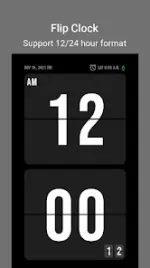
Application Overview
Flip Clock is a minimalist desktop digital clock and productivity application designed to mimic the appearance of a vintage flip clock. It functions as a timekeeper and focus tool, utilizing a high-visibility font and an unobtrusive interface to minimize distractions during work or study sessions.Technical Specifications
| Detail | Specification |
|---|---|
| Minimum OS Requirement | Android 6.0 and up |
| Application Version | v1.4.1 |
| Supported Architectures | armeabi-v7a, arm64-v8a |
| Modification Status | Premium Unlocked |
| Mod Developer | TRUMods |
Key Features
Clock & Display Options
- Time Format: Supports switching between 12-hour and 24-hour formats.
- Orientation: Supports both landscape and portrait screen modes.
- Display Toggles: Options to show or hide seconds, the current date, and the day of the week.
- Brightness: Manual screen brightness adjustment within the app.
- Visual Themes: Multiple visual themes available.
Audio Options
- Mechanical tick-tock sound effects.
- Ambient background tracks (White noise, Rain, Cafe ambiance, etc.).
Productivity Tools
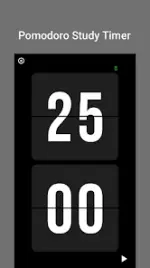
- Pomodoro Timer: Built-in interval timer configured for focus sessions and breaks.
- Stopwatch: Standard count-up timer.
- Countdown Timer: Standard count-down functionality.
Pomodoro Workflow Configuration
| Phase | Default Duration | Function |
|---|---|---|
| Focus Session | 25 minutes | Dedicated task execution |
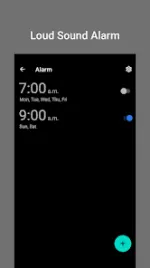
| Break Session | 5 minutes | Rest interval initiated by audio alarm |
Modification Changelog
- Premium features fully unlocked.
- Redundant and unneeded files removed for optimization.
- All debug codes stripped from the build.